VOVSOFT - Auto Change Screensavers for Windows 10 - Full description
VOVSOFT - Auto Change Screensavers is a Windows utility for people who want their computer to rotate through multiple screensavers automatically. Instead of opening display settings to choose a different screensaver by hand, users can collect the screensavers they want to use and let the program switch between them at set intervals. This provides variety on an idle screen while keeping the selection and schedule in one place.
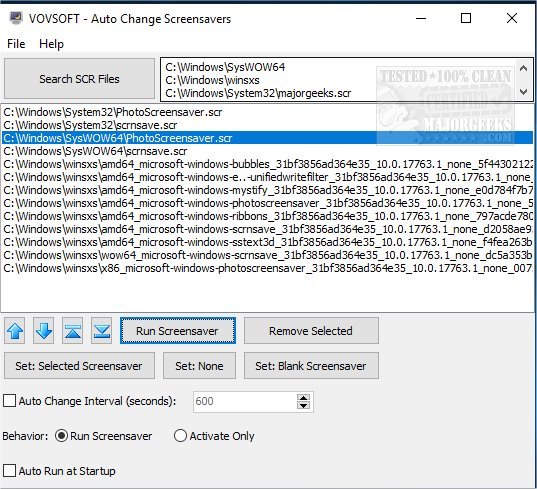
The program lets users choose which screensavers to include and how often the active one changes. A fixed sequence keeps the screensavers in a chosen order, which is useful when a particular animation should appear next. Random selection varies the order from one change to the next. These options let users make a predictable rotation or a less repetitive one, depending on how they use their computer.
Configuration is intended to be straightforward: select the screensavers, set the interval or rotation behavior, and leave the utility running in the background. Once configured, it handles the changes without requiring repeated manual selections. The lightweight application is designed to have little effect on system resources, so the rotation can continue during ordinary desktop use.
The utility can suit a home PC where users want a changing idle display, or a workplace computer where a selection of screensavers adds visual variety. It is focused on managing automatic changes rather than creating screensaver animations, so the screensavers themselves provide the visual content. Users can adjust the chosen set and schedule when they want a different routine.
VOVSOFT - Auto Change Screensavers is shareware and supports Windows 10 and Windows 11, as well as earlier Windows releases. It is available for 32-bit and 64-bit editions of the supported systems. Its purpose is narrow and practical: automate the rotation of installed screensavers with a choice of interval, order, or random playback.