Vovsoft Proxy Checker
Vovsoft Proxy Checker is an essential tool for anyone navigating ... world of online privacy and security. Developed by VOVSOFT, this intuitive software allows users to effortlessly verify ...

Vovsoft Proxy Server turns a Windows computer into a proxy for client devices on a home or small-office network. It supports HTTP and HTTPS connections, lets administrators choose the listening port, and records activity in logs for reviewing traffic patterns or troubleshooting connection issues. Its focused setup suits basic proxy needs without the complexity of a larger server platform.
| Author: | VOVSOFT |
| License: | Freeware |
| Price: | FREE |
| Released: | Oct 24, 2025 |
| File size: | 4.00 MB |
| Downloads: | 170 |
| Keywords: | proxy server, socks, HTTP, anonymous access, http proxy server, windows proxy server, traffic routing, VOVSOFT tools, IP masking, internet privacy, proxy traffic logging, https proxy server, VOVSOFT, download Vovsoft Proxy Server, web filtering, secure browsing, Vovsoft Proxy Server, user-friendly interface, Vovsoft Proxy Server free download, socks server, proxy, HTTP server, server, proxy server software, configure proxy port, proxy management |
| Author URL: | https://vovsoft.com/software/batch-translator/ |
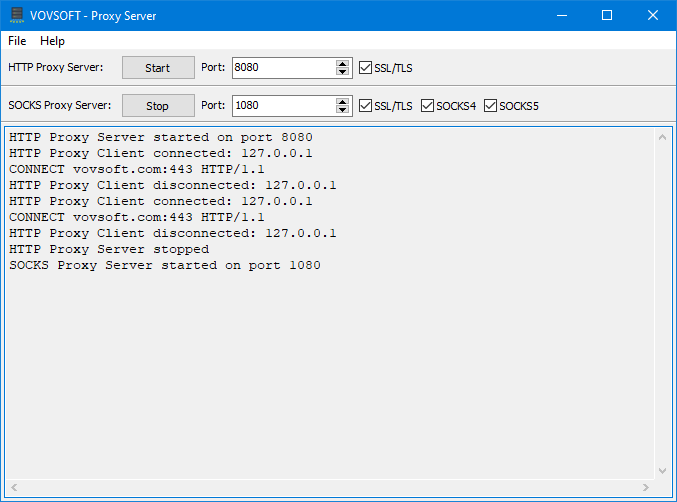


Vovsoft Proxy Server turns a Windows computer into a proxy server for other devices on a network. It is intended for home users and small organizations that need a straightforward way to route client connections through one machine, rather than set up a larger server platform. Its focused interface keeps configuration centered on essential proxy tasks.
The program supports HTTP and HTTPS connections, allowing clients to use the host computer as an intermediary when accessing web services. A network administrator can configure the listening port to suit the local network or avoid a conflict with another service. Once the host is configured and reachable, client devices can be set to use its address and port as their proxy. Clients must be able to connect to the host, and any firewall or network rules need to permit the relevant traffic.
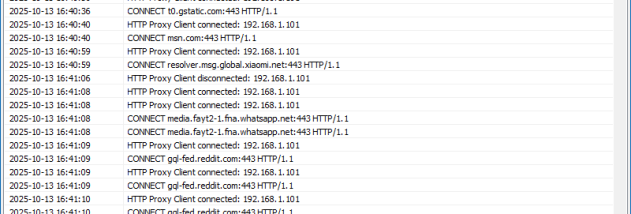
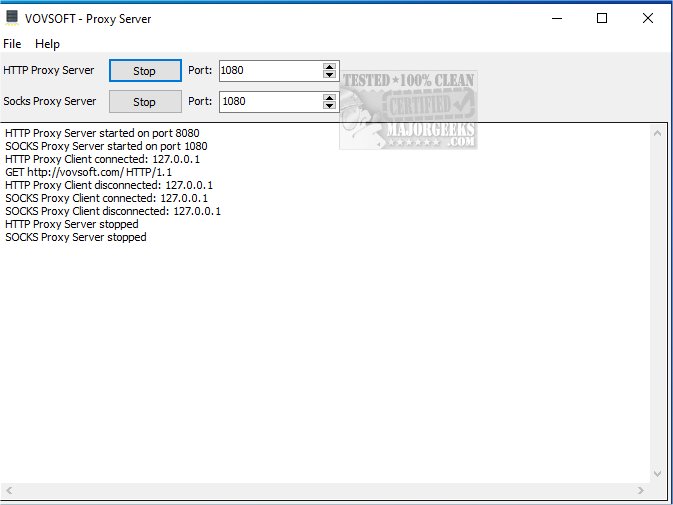
Logging provides a record of proxy activity that can help an administrator review usage patterns or investigate connection problems. This is useful when checking whether clients are reaching the server and when diagnosing issues such as an incorrect proxy address or blocked port. Logs offer visibility into activity, but they are not a substitute for access controls, security monitoring, or a broader network-management system.
A proxy can provide a central point for routing and observing client web traffic, which may help with basic network oversight in a home, classroom, or small office. HTTPS support lets clients make secure connections to websites through the proxy; the proxy itself should not be treated as a guarantee of anonymity or as a replacement for endpoint security. Administrators should consider who can connect to the host and protect the machine and network accordingly.
Vovsoft Proxy Server is freeware from VOVSOFT and is designed to run on Windows. It is available for Windows 10 and Windows 11, as well as several earlier Windows releases, with support for 32-bit and 64-bit systems where applicable. Its light resource footprint and limited setup make it suitable for basic proxy duties, though it does not replace the broader configuration and management tools found in enterprise proxy systems.