Free Download Manager
Discover the power of seamless downloads with Free Download Manager, a top-tier software developed by FreeDownloadManager.ORG. This Windows 10 compatible software is your one-stop solution for managing all ...

WebGrab finds file URLs on an HTML page and lists them for selective downloading. It can filter links by categories such as documents, video, audio, images, executables and archives. For a direct file link that opens in a browser, paste or drag the URL into its Grab tab to download it to a chosen folder.
| Author: | Konstantinos Galanos |
| License: | Freeware |
| Price: | FREE |
| Released: | Jul 19, 2006 |
| File size: | 328 kB |
| Downloads: | 363 |
| Keywords: | download embedded files, Windows 10 compatible, download files from links, web, Konstantinos Galanos, internet downloading tool, download file, x64 software, bulk file link finder, direct url downloader, html link extractor, user-friendly interface, web page file downloader, WebGrab, html, download site, download, grab file |
| Author URL: | http://k.galanos.googlepages.com |



WebGrab is a lightweight file-downloading utility for people who need to collect files linked from web pages or save files that a browser would otherwise open directly. Instead of manually opening each link, it can scan an HTML page, identify file URLs and present the results in a Files Found list. The user can then choose which of those files to download, making it useful for pages that offer several documents, images, audio tracks, videos or archives.
For a page containing many file links, WebGrab parses the page and filters the results according to selected file types. Its preferences cover video formats such as AVI, WMV and MPEG, documents including DOC and PDF, audio such as MP3 and WAV, executables, ZIP and RAR archives, and common image formats. Selecting relevant categories helps narrow the Files Found list before choosing downloads. The program also provides a destination-folder setting, so downloaded files can be directed to a chosen location rather than left in an unspecified folder.
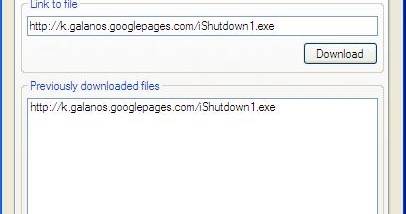
WebGrab can also handle a direct file URL when a browser displays the file instead of saving it. The URL can be entered in the Link to file field on the Grab tab, which starts a download rather than loading the content in the browser. This is intended for embedded files and links that open documents or media directly, including cases where a large file may take time to load in a browser. URLs can be supplied by typing or pasting, and the program also accepts drag-and-drop of a web-page or file URL.
The utility keeps its settings between runs by saving preferences to a webgrab.ini file when it closes and restoring them at the next launch. Additional interface options include a transparent window and an always-on-top mode. These controls let users adjust how WebGrab sits alongside other applications while reviewing links or managing downloads. Its workflow is focused on finding and downloading files rather than browsing websites or managing a large download library.
WebGrab is freeware and is intended for Windows. The available operating-system information includes Windows 10, along with older Windows releases; Windows 11 support is not established. It is suited to occasional, targeted downloads from pages with multiple file links or direct URLs, particularly when browser behavior makes a file awkward to save. Its compact interface centers on page parsing, file selection, direct-link downloading and a configurable save folder.