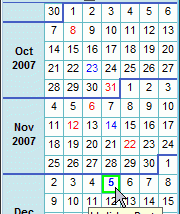
WinCalendar for Windows 10 - Full description
Welcome to the home of WinCalendar, a versatile software developed by Sapro Systems that is designed to revolutionize your Windows 10 experience. This software is a powerful tool that combines the functionality of a calendar and a scheduler, all in one easy-to-use package.
WinCalendar is a must-have for anyone seeking to optimize their time management. It seamlessly integrates with Microsoft Office, allowing you to import data from Outlook, Google Calendar, and even Excel. The software also offers a wide range of customizable templates, enabling you to personalize your calendar to suit your needs and preferences.
But that's not all. WinCalendar also boasts a unique feature that sets it apart from other calendar software: it can convert Excel spreadsheet data into a calendar format, making it easier than ever to track and manage your tasks and appointments.
With its user-friendly interface, robust features, and seamless integration with other Microsoft products, WinCalendar is an invaluable tool for anyone seeking to enhance their productivity. Experience the future of time management with WinCalendar by Sapro Systems.