Edi - Text Editor
Welcome to the download page for Edi - Text Editor, an innovative software solution developed by Polenter - Software Solutions. This Windows 10 compatible software is a game-changer for those who need ...

WinEdt is a Windows text editor designed especially for creating and editing LaTeX source. Its menus, customizable keyboard shortcuts and configurable interface support everyday text work, while configurations connect it to TeX systems such as MiKTeX or TeX Live. A separate TeX distribution is required to typeset documents.
| Author: | Aleksander Simonic |
| License: | Trialware |
| Price: | $40.00 |
| Released: | Jun 1, 2024 |
| File size: | 15.40 MB |
| Downloads: | 447 |
| Keywords: | text editor, highlight, Aleksander Simonic, macro language, tex editor, TeX document, editor, latex editor, WinEdt, software review, latex source editor, macro text editor, tex document editor, LaTeX documents, Windows 10 compatible, macro |
| Author URL: | https://www.winedt.com/ |
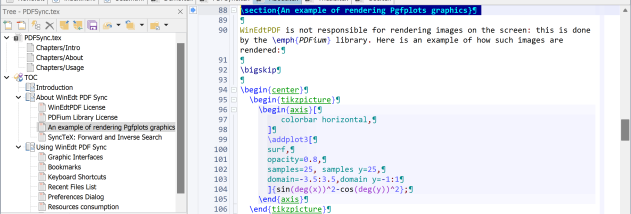

WinEdt is a Windows text editor geared toward writing and managing LaTeX documents. It provides an editing environment for authors, students, researchers and technical users who work with TeX source files. WinEdt is an editor and front end, not a TeX typesetting system: compiling documents requires a separate TeX distribution, such as MiKTeX or TeX Live, installed on the computer.
The editor combines menus, graphic controls and keyboard commands for common editing tasks. Its menus include tools for shifting a selected block of text and changing letter case, while shortcuts provide access to commands without navigating menus. Keyboard controls can be customized, including double-keystroke shortcuts assigned to menu items, so recurring editing actions can fit an established workflow.
WinEdt's interface and configurations can be adjusted through its Options interface. Users can tailor the appearance and behavior for different kinds of work, including changing the background, choosing a variable-width font for HTML editing, or setting a fixed right margin. Configuration choices also let the editor work with different TeX systems or with other sets of tools, rather than relying only on its default setup for MiKTeX. The available menu commands and shortcuts make it useful to explore the interface and configure the controls needed for a particular editing routine.
For LaTeX users, WinEdt offers a place to write and revise source while connecting editing work with an independently installed typesetting system. It can also be configured for tasks such as editing HTML or other text, with customized fonts, margins and accessories. Its macro language and highlighting-oriented editing features support users who want to adapt the editor to specialized text workflows.
WinEdt is trialware for Windows 10 and Windows 11, including 64-bit Windows 10. A separate TeX distribution is needed to typeset LaTeX documents; MiKTeX and TeX Live are examples of compatible systems. The editor's configuration options are useful for users who want to adjust its interface or connect it to a TeX setup other than the default.