Windows Access Panel
Windows Access Panel is a portable launcher for built-in Windows system utilities. It brings 48 tools together in ... It is intended for people who regularly manage Windows or want a more direct route to less ...

WinScript is an open-source utility for customizing and maintaining Windows. It lets users select system tweaks, privacy changes, cleanup tasks and removals of preinstalled apps, then generates a script to apply those choices. Options include reducing telemetry, changing access permissions, clearing temporary files and adjusting gaming or performance settings. Administrator rights are needed for system-level changes.
| Author: | flick9000 |
| License: | Open Source |
| Price: | FREE |
| Released: | Oct 11, 2026 |
| File size: | 5.40 MB |
| Downloads: | 271 |
| Keywords: | debloat, Windows, windows privacy settings, customize Windows, WinScript, flick9000, windows tweak script, customization, download WinScript, disable telemetry, windows cleanup utility, software, telemetry, customize, Windows debloat, automation, cleanup, productivity, efficiency, windows debloat tool, disable windows telemetry, remove preinstalled apps, scripting, WinScript free download |
| Author URL: | https://winscript.cc/ |

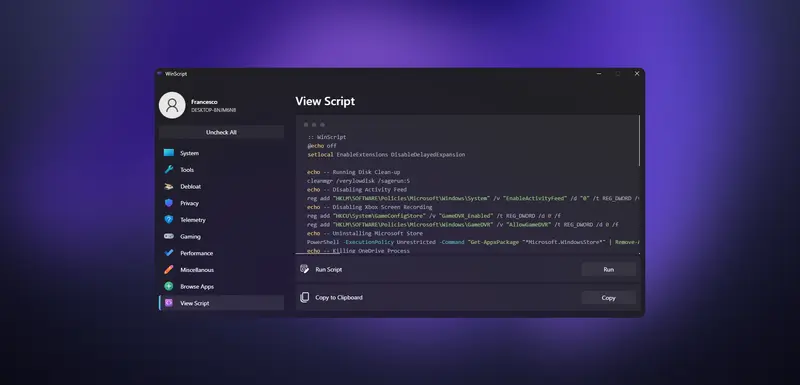
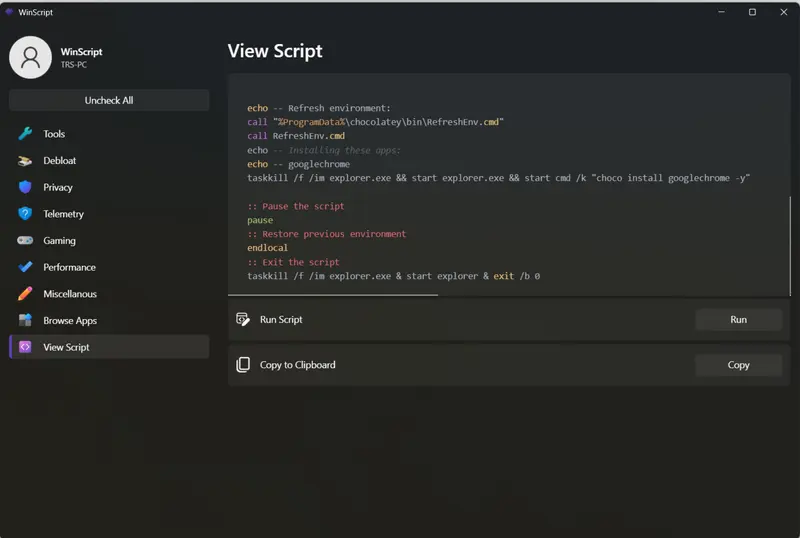
WinScript is an open-source Windows utility for users who want to change system settings, remove bundled components, adjust privacy options or carry out routine maintenance. Rather than applying every tweak immediately, it lets users select actions in a settings-style interface and builds a script containing those choices. The generated script applies the selected changes when run, making the tool useful for people who want a consolidated set of system adjustments.
Options are organized in a left-side panel, with details displayed alongside them. Users can browse the available categories and toggle the actions they want included; WinScript updates the output script to match. This makes it possible to choose a limited set of changes rather than applying a fixed collection. Because some actions affect system-wide behavior, the program should be run with administrator privileges, and the resulting script should be reviewed before execution.
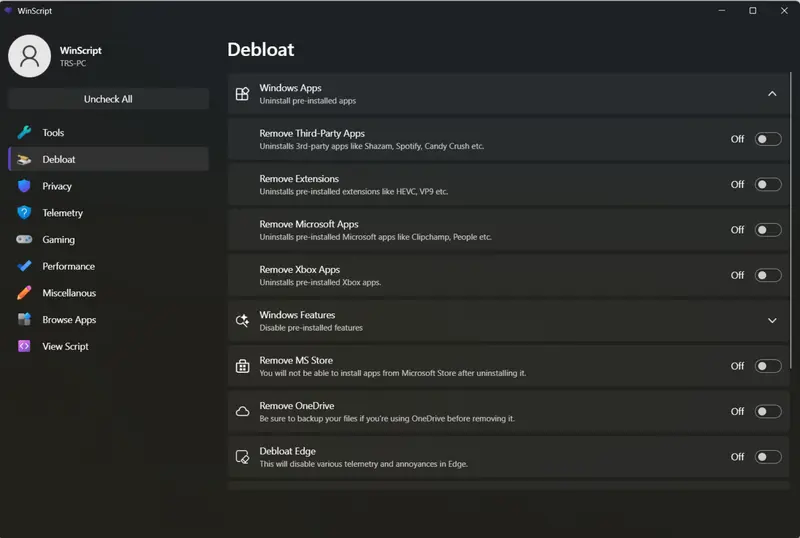
The customization tools cover Windows components and built-in features. WinScript can remove preinstalled apps and features, including Edge, Copilot, Widgets, OneDrive and Microsoft Store, and can disable consumer features or Recall. Privacy-related options can restrict app access to data and system resources, reduce data collection by Windows and third-party apps, and turn off features such as Wi-Fi Sense and Cloud Sync. These controls are intended for users who want to pare back default services or change how Windows handles connected features; removing components may affect related functions.
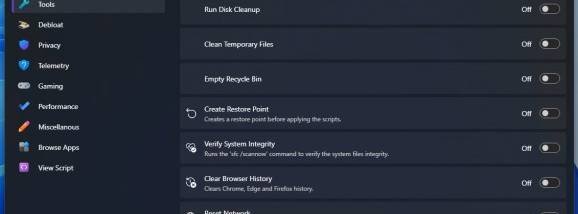
Maintenance actions include removing temporary and unnecessary files, running Disk Cleanup and emptying the Recycle Bin. Other tools can check system integrity, clear browser history and run network reset commands. Separate settings cover gaming and performance, while an app-discovery feature helps surface additional utilities. The range of actions makes WinScript suitable for periodic cleanup as well as more extensive system configuration, though users should select changes with care because scripts can alter default Windows behavior.
WinScript is available for Windows 10 and Windows 11, including 32-bit and 64-bit Windows 10 systems, and is free to use as open-source software. Its script-based approach gives users a way to collect selected changes in one place, but it is not a substitute for understanding what those changes do. Administrator access is required for actions that modify protected system settings.