Neat Mouse
Welcome to the download page for Neat Mouse, an innovative software solution developed by Neat Decisions. ... godsend for those who encounter difficulties with their mouse or touchpad, offering an alternative way to control ...

X-Mouse Button Control is a free Windows utility for remapping mouse buttons and the scroll wheel. It supports application- and window-specific profiles that switch automatically as the pointer moves between them, plus up to ten configurable layers per profile. Buttons can send simulated keystrokes, launch applications, control media, use clipboard commands, or trigger timed and combined actions. It is also useful for mapping extra mouse buttons to keys in games.
| Author: | Highresolution Enterprises |
| License: | Freeware |
| Price: | FREE |
| Released: | Jun 24, 2023 |
| File size: | 2.90 MB |
| Downloads: | 587 |
| Keywords: | mouse wheel control, Highresolution Enterprises, mouse control, Windows 10 software, mouse buttons, x64 application, mouse buttons for games, user-friendly interface, custom mouse buttons, button control, mouse, mouse customization, control, X-Mouse Button Control, application mouse profiles, mouse button remapper, mouse button shortcuts, button |
| Author URL: | https://www.highrez.co.uk/ |
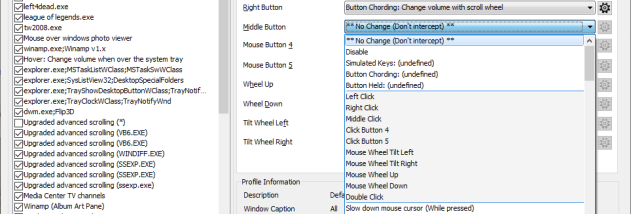
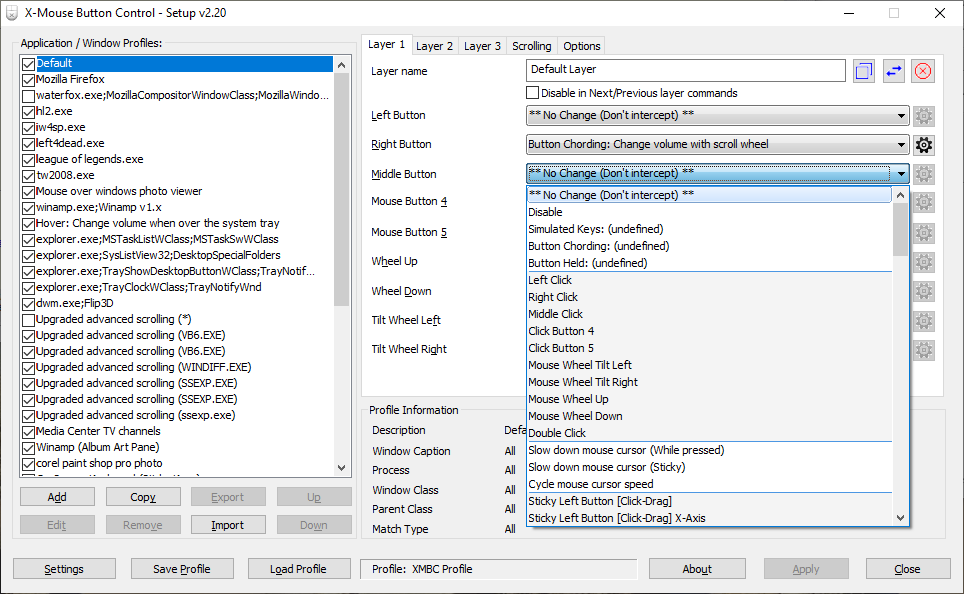
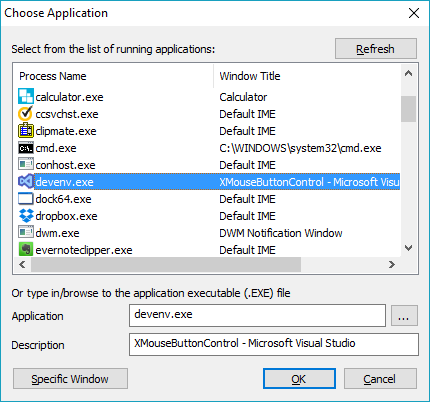
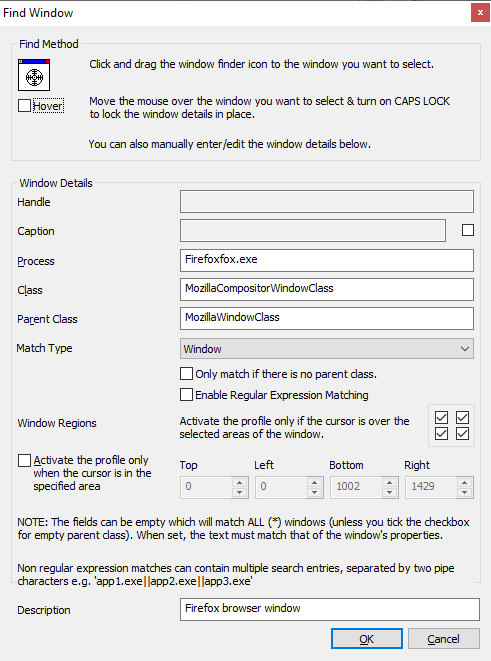
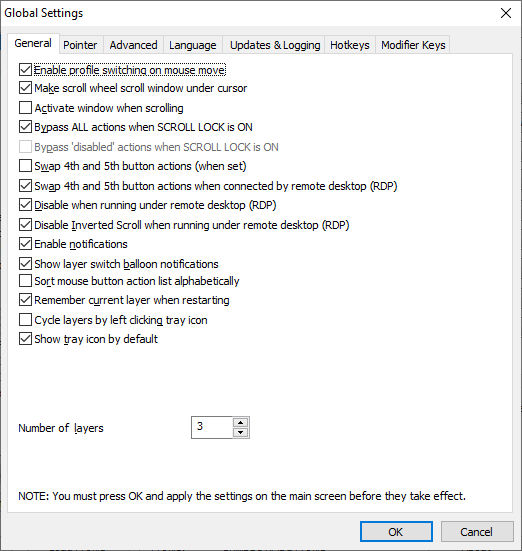


X-Mouse Button Control (XMBC) is a free Windows utility for remapping mouse buttons and the scroll wheel. It is useful for people who want different mouse actions in different programs, or who need extra functions from buttons their mouse already has. Instead of changing how the mouse works everywhere, XMBC can apply settings to a chosen application or window, with profiles switching automatically as the pointer moves between them.
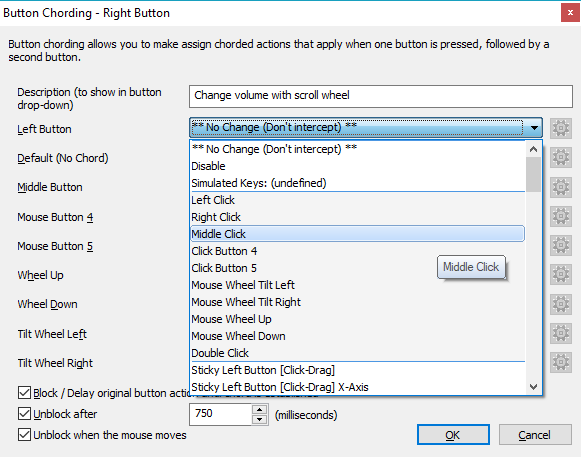
Each profile can contain up to ten layers of button assignments. Layers let one set of mouse buttons perform different tasks, and can be switched using hotkeys or mouse buttons. XMBC can also assign actions to the wheel, making it possible, for example, to adjust volume while hovering over a selected window or part of the desktop. For games that do not recognize a mouse's additional buttons, those buttons can be mapped to keyboard keys.
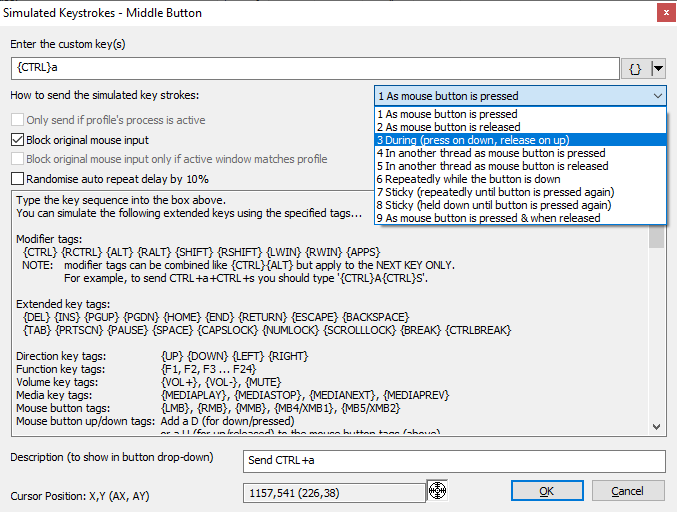
Available actions include simulated keystrokes, launching Windows applications, and clipboard commands such as copy, cut, and paste. Button combinations can be configured to trigger other actions, while timed assignments can respond differently depending on how long a button is held. Sticky button or key behavior supports click-and-drag tasks, and media controls provide shortcuts for playback, volume, mute, and related functions. XMBC can also capture an image of the screen or active window to the clipboard.
These controls suit everyday desktop work as well as gaming and media playback. A user might set a side button to open a frequently used application, use the wheel for a window-specific function, or create a separate layer for a different task. Per-application profiles keep specialized mappings from interfering with normal mouse use elsewhere. The range of configurable actions makes the program useful with mice that have extra buttons, while also allowing standard buttons and scrolling behavior to be tailored.
XMBC is freeware and supports Windows systems from Windows XP through Windows 11, including the Windows 10 and Windows 11 environments. Its profiles and layers provide the main way to organize custom behavior; the amount of configuration depends on how many applications, buttons, and alternate actions a user wants to set up. It is intended for mouse customization rather than as a general-purpose input or automation suite.