BeeConverter Pro for Windows 10 - Full description
BeeConverter Pro is a desktop video conversion and editing tool from AmoyShare for people who need to prepare video files for different formats or devices. It combines file conversion with basic editing functions, so users can handle common preparation tasks in one application rather than switching between a converter and a separate editor.
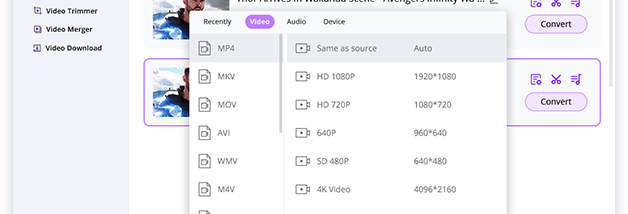
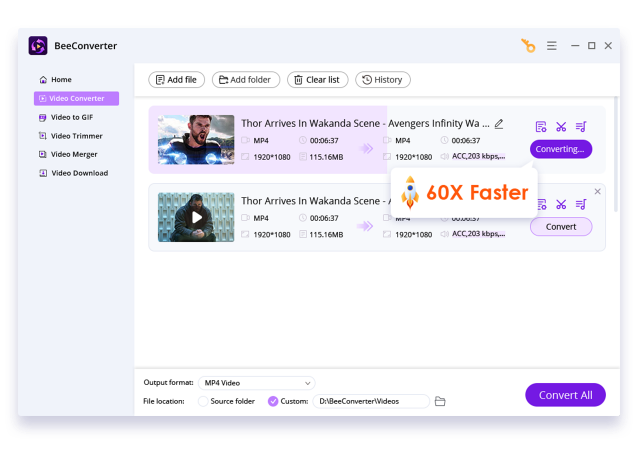
The converter handles a range of video formats, including MP4, AVI and MOV, as well as other file types. Users can choose files and convert them for playback on devices such as smartphones, tablets and gaming consoles. Batch conversion lets several videos be processed together, which is useful when preparing a folder of clips or converting multiple recordings to a consistent format. The software processes conversions locally on the computer, rather than requiring video files to be uploaded to an online service.
Editing tools cover trimming, cropping and merging. Trimming removes unwanted sections from a clip, while cropping changes the visible frame. The merge function combines multiple video files into a single output, making it suitable for joining segments before sharing or playback. Image adjustments for brightness, contrast and saturation provide basic ways to alter a clip's appearance without opening a more extensive video-editing program.
These features make BeeConverter Pro useful for routine media tasks: converting videos for a device, preparing files in a format supported by a particular player, shortening clips, or joining several segments. Batch processing helps with larger groups of files, while the editing options are intended for straightforward changes rather than a full production workflow. Its interface organizes conversion and editing functions for users with different levels of experience.
BeeConverter Pro is distributed as demo software. It is available for Windows 10 and Windows 11, and also supports Windows 8 in 32-bit and 64-bit editions. The application is intended for local video conversion and basic editing on a Windows PC.