Free DVD Video Converter
... yet user-friendly software solution! Introducing the remarkable "Free DVD Video Converter" developed by DIGITAL WAVE LTD. This exceptional software effortlessly converts your DVDs into various ...

WonderFox DVD Video Converter combines DVD ripping, video conversion, online video downloads, editing and media playback in one Windows application. Batch processing and support for multi-core CPUs, NVIDIA CUDA and Intel Quick Sync help handle conversion jobs, while variable bitrate encoding balances quality and file size. A built-in player can play DVDs, HD video and other common media formats.
| Author: | HD Video Converter |
| License: | Shareware |
| Price: | $34.95 |
| Released: | Apr 16, 2026 |
| File size: | 92.29 MB |
| Downloads: | 3466 |
| Keywords: | WonderFox Soft, DVD ripping software, high-quality video output, convert video formats, user-friendly interface, download online video, dvd media player, rip dvd to video, dvd video converter, dvd converter, video conversion tool, batch video conversion, WonderFox DVD Video Converter |
| Author URL: | https://www.videoconverterfactory.com |
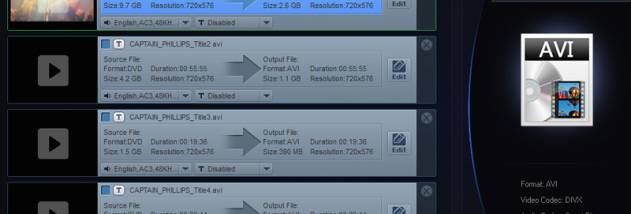


WonderFox DVD Video Converter is a Windows application for converting DVD and video files, downloading online video, making basic edits and playing media. It is suited to people who want to prepare discs or downloaded clips for playback on different devices, as well as users who prefer a single program for common video tasks.
The converter can rip DVDs and convert video between formats. Users can choose output settings to suit a target device or file-size limit, while variable bitrate encoding helps balance image quality and storage use. Batch processing handles multiple items in one job, reducing the need to configure and start each conversion separately. Support for multi-core processors and hardware acceleration technologies such as NVIDIA CUDA and Intel Quick Sync can speed up compatible conversion workloads.
For online clips, the program includes a video download function for supported services such as YouTube, Facebook and Vimeo. Its editing tools provide a way to make adjustments before conversion, while the built-in player can open DVDs and a range of audio and video formats, including HD video. These features make it possible to preview source material and check converted files without switching between separate playback software.
Typical uses include converting a DVD for convenient playback, compressing video to save storage space, preparing batches of files for a portable device, and downloading supported online video for offline viewing. The combination of conversion, downloading, editing and playback is intended to cover a basic media workflow, from importing a source to reviewing the result.
The software is shareware and is available for Windows. It supports English, Japanese, German, Spanish, Traditional Chinese and Simplified Chinese. Minimum system requirements are a 1 GHz processor and 256 MB of RAM; a 1.5 GHz or faster processor and at least 512 MB of RAM are recommended. Hardware acceleration depends on compatible hardware and drivers.