LAME MP3 Encoder
LAME MP3 Encoder is an open-source command-line tool for converting digital audio into MPEG Audio Layer III files. It is intended for users who need ...

CDex extracts tracks directly from Audio CDs and saves them as WAV or compressed audio using encoders such as LAME MP3, Ogg Vorbis, APE and WMA. It can retrieve album details from CD databases or CD-Text, add ID3 tags during ripping, apply normalization and convert WAV files to and from compressed formats. Playlist support and jitter correction are also included.
| Author: | Albert L Faber |
| License: | Freeware |
| Price: | FREE |
| Released: | Aug 12, 2020 |
| File size: | 22.50 MB |
| Downloads: | 1669 |
| Keywords: | CDex, wav to mp3 converter, cd ripper, cd track converter, mp3 encoder, ripper, CD ripping, x64 software, cd extractor, cda, audio metadata tagging, audio cd extractor, Windows 10, Albert L Faber, CD ex, audio extraction |
| Author URL: | https://cdex.mu/ |
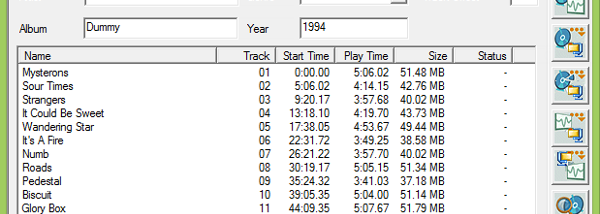


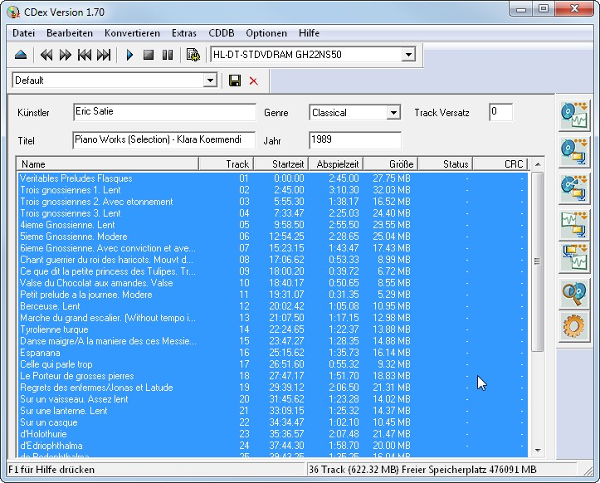




CDex is a Windows audio utility for extracting music from Audio CDs and converting audio files. It is suited to people building a digital music library from discs, preparing tracks for portable playback, or creating uncompressed WAV copies for later editing or audio-CD projects. Its main workflow is to select CD tracks, choose an output format and destination, then let CDex read and encode the audio to the hard drive.
For CD extraction, CDex reads audio data directly from the disc and can save tracks as WAV or encode them into compressed formats. Supported encoders include LAME MP3, an internal MP2 encoder, Monkey's Audio (APE), Ogg Vorbis, Fraunhofer MP3, VQF, FAAC and WMA. The choice of encoder lets users balance file size, compatibility and audio quality according to their needs. Direct recording of multiple tracks is also available, while track progress and jitter-control information help monitor the extraction process. Advanced jitter correction, based on the cd-paranoia ripping library, is intended to improve reads from discs that may be difficult to extract cleanly.
CDex can retrieve and save album and track information using a local or remote CD Database, as well as the cdplayer.ini file. If the drive supports CD-Text, the program can read that information from the disc. Album details can be added to audio tags during ripping, including ID3v1 and ID3v2 metadata, reducing the need to label each file manually afterward. Audio normalization adjusts signal levels, and support for M3U and PLS playlists helps organize the resulting tracks for playback in compatible software.
The program also converts WAV files stored on a computer into compressed audio formats and can convert compressed files back to WAV. This makes it useful beyond disc copying: users can re-encode existing audio, prepare WAV files for editing or compilation CDs, and keep track metadata attached where supported. The interface brings disc extraction and file conversion together, so both tasks can be handled without a separate dedicated converter.
CDex is freeware distributed under the GPL, with source code available, and supports multiple interface languages. Its CD-reading features depend on an optical drive capable of reading Audio CDs; CD-Text availability depends on drive support. The supplied operating-system support includes Windows versions through Windows 10, including 64-bit editions. Compatibility with other Windows releases is not established here.