PDF-XChange Pro
PDF-XChange Pro is a Windows PDF creation and conversion suite for people who need to ... from office applications and other software into searchable PDF files. It combines a virtual PDF printer with ...

CutePDF Writer adds a virtual printer to Windows, letting users create PDF files from documents in applications that support printing. Select it in the print dialog, use the source program's page and print settings, and save the resulting PDF for sharing or archiving. It works with content from word processors, spreadsheets, presentations and other printable applications. A PS2PDF converter such as Ghostscript is recommended.
| Author: | Acro Software Inc |
| License: | Freeware |
| Price: | FREE |
| Released: | Mar 13, 2025 |
| File size: | 3.20 MB |
| Downloads: | 923 |
| Keywords: | PDF creation, Printer, CutePDF Writer, document to pdf, document conversion, x64 compatibility, PDF, PDF creator, print to pdf, Virtual, PDF writer, printer, create pdf files, Adobe PDF, pdf creator, cutepdf writer, virtual pdf printer, writer, user-friendly interface, Create PDF, Acro Software, Print |
| Author URL: | https://www.cutepdf.com/products/cutepdf/writer.asp |


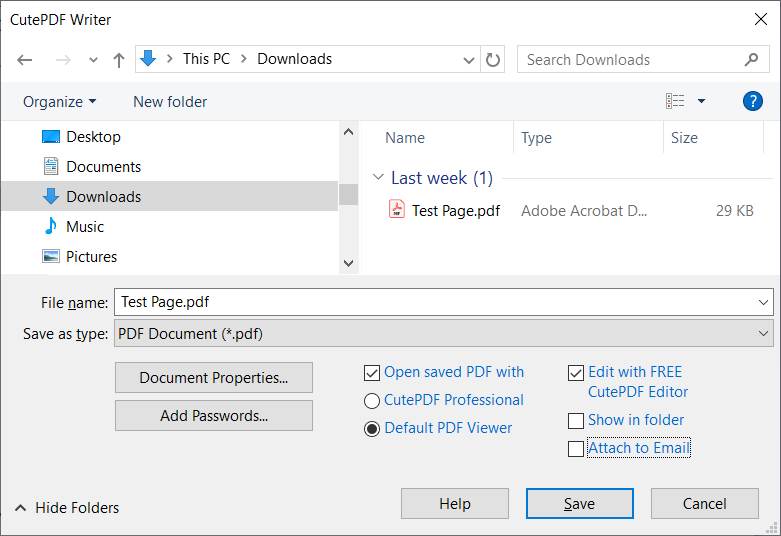


CutePDF Writer is a virtual printer for Windows that creates PDF files from documents in applications with a print command. It suits people who need to save, share or archive printable material as PDFs without relying on the original application's own export tools. Rather than opening files for conversion in a separate editor, users select CutePDF Writer in the print dialog and send the document to it, much like sending a job to a physical printer.
The print-to-PDF workflow works with a broad range of printable content, including documents, spreadsheets and presentations. The source application controls how the material is laid out before printing, so users can review page setup, select a page range and adjust other available print options there. CutePDF Writer then creates a PDF from the output. This makes it useful for turning work from different programs into a format that is convenient to distribute and view across devices.
Because it is integrated into the Windows printer list, the program can fit into familiar office and personal workflows. A user can create a PDF while working in a word processor, spreadsheet tool, browser or other application that supports printing, without changing the source file. The result can be kept as a digital copy, attached to an email or shared with someone who does not have the software used to create the original document. Output quality and page layout depend in part on the source application's print settings.
Typical uses include producing PDF copies of reports, school assignments, forms, presentations and web pages. It can also help organizations standardize document sharing when files originate in several different programs, since printing to PDF provides a consistent way to create a portable document. The workflow is especially straightforward for occasional PDF creation, as well as for users who prefer familiar print controls over a dedicated conversion interface.
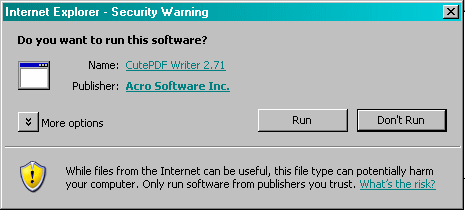
CutePDF Writer is freeware from Acro Software Inc. It is designed for Windows, including Windows 10 and Windows 11, and supports older Windows releases as well. A PS2PDF converter such as Ghostscript is recommended for PDF generation and may need to be installed separately. CutePDF Writer focuses on creating PDFs through printing; it is not a full PDF editor, so changes to existing PDF content require a separate application.