Dashboard Builder for Access for Windows 10 - Full description
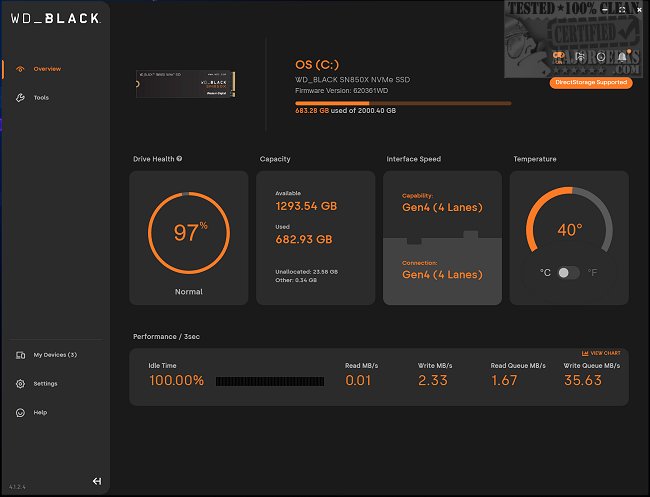
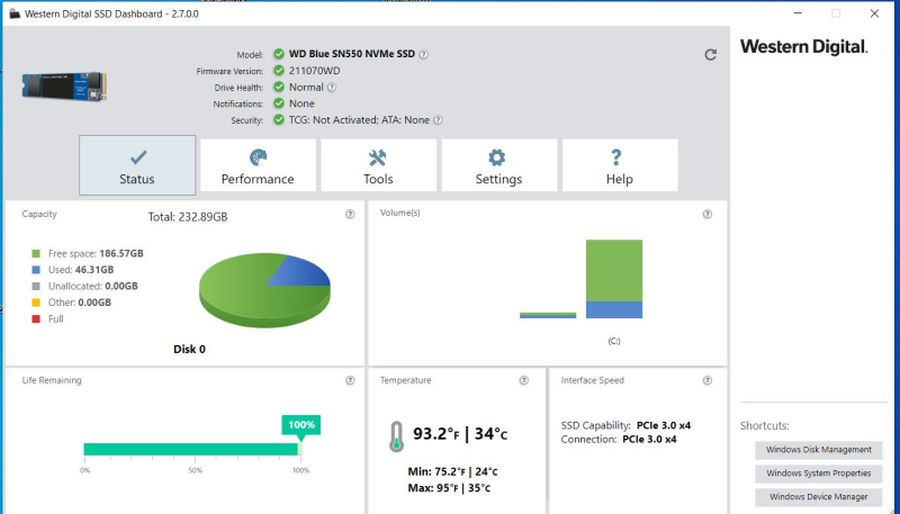
Western Digital Dashboard is a Windows utility for checking and maintaining compatible Western Digital solid-state drives. It brings drive status and maintenance controls into one desktop interface, helping home users and professionals review an SSD's condition, check its capacity and firmware, and perform selected drive-management tasks without relying on separate utilities. Its information is useful both for routine checks and when investigating a storage or performance concern.
The overview presents key details such as drive health, available capacity and firmware version. Monitoring tools display information including temperature and remaining lifespan, so users can keep an eye on changes over time and investigate potential issues before they interrupt normal work. These readings can help inform decisions about maintenance or replacement, though they do not replace a separate backup of important files.
For supported drives, the utility provides performance and maintenance functions. A manual TRIM operation can help the SSD manage deleted data and maintain performance. Firmware update controls let users check and apply available drive firmware, while secure erase is intended to permanently remove data when preparing a drive for reuse or disposal. Secure erase is destructive: files that matter should be backed up before the operation, and the drive should be selected carefully.
Dashboard also includes drive cloning for creating a copy when backing up or migrating to another drive. This can simplify a storage upgrade by transferring an existing setup rather than rebuilding it from scratch. The interface groups information and actions for supported Western Digital SSDs, making it practical for checking an individual drive or managing more than one compatible drive from the same application. Available options depend on the connected model.
The software is freeware for Windows 10 and Windows 11, including 32-bit and 64-bit Windows 10 systems. It is intended for Western Digital SSD owners; it is not a general-purpose disk optimizer for every storage brand. Users should confirm that their drive is supported before relying on particular maintenance or migration functions. Regularly reviewing drive health and keeping independent backups remain sensible practices, especially before firmware changes, cloning or secure erase.