Disk Pulse Server x64
Disk Pulse Server x64 monitors disks and directories for file-system changes, making it useful ... one or more locations, so activity across separate disks and directories can be reviewed through the same ...

Disk Pulse Server monitors file-system changes across selected disks and directories, recording creations, modifications, deletions, and attribute changes. Administrators can filter and categorize events, generate reports for export to HTML, PDF, Excel, or text, and set email alerts or custom commands for defined changes. Centralized management covers multiple servers and storage devices.
| Author: | Flexense Computing Systems Ltd |
| License: | Trialware |
| Price: | $125.00 |
| Released: | Sep 29, 2026 |
| File size: | 8.50 MB |
| Downloads: | 326 |
| Keywords: | file system reporting, disk change monitoring, file system monitor, server file activity, log disk activity, checker, monitor directory, viewer, Windows 10 compatible software, disk change alerts, Disk Pulse Server, dile activity monitor, disk activity monitor, directory change tracking, Flexense Computing Systems Ltd, logger, real-time disk change monitoring, file system changes, multi-disk configuration |
| Author URL: | https://www.syncbreeze.com/ |


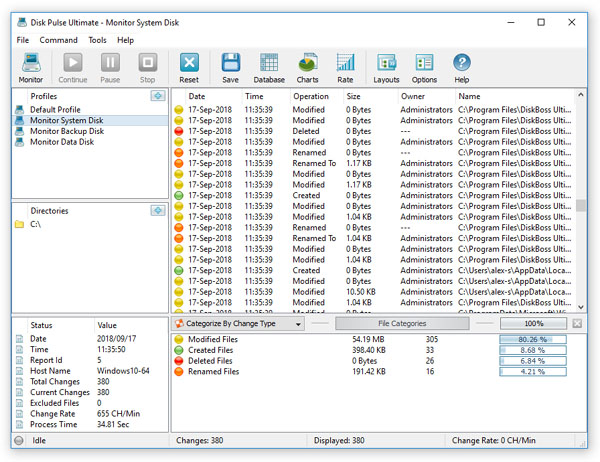


Disk Pulse Server is a file-system monitoring tool for administrators who need to track changes across servers and storage devices. It watches selected disks or directories and records events such as file creation, modification, deletion, and attribute changes. By keeping an ongoing view of file activity, it can help teams investigate unexpected changes, maintain operational records, and respond to issues affecting shared data.
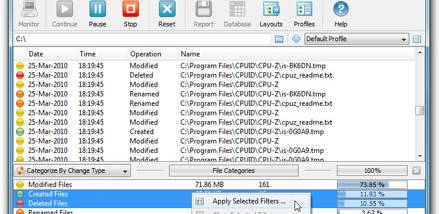
Monitoring tasks can be configured to focus on particular locations and event types. Filtering and categorization rules narrow the activity stream, making it easier to distinguish relevant events from routine file-system traffic. Administrators can review the resulting activity in the interface's dashboard and use the available rules to prioritize changes that require attention. This is useful when a large directory tree produces more events than can be reviewed effectively without filtering.
The software can generate detailed reports for review and recordkeeping, with export options including HTML, PDF, Excel, and text. Its alerting system can send email notifications or run custom commands when specified events occur, supporting workflows that need a response beyond simply recording a change. Automation can reduce the need for someone to watch the activity view continuously, while command execution gives administrators a way to connect monitoring events to other tools or procedures.
For larger environments, Disk Pulse Server provides centralized management of multiple servers and storage devices through a unified interface. This lets administrators bring activity from different parts of an infrastructure into a common monitoring workflow rather than managing each location separately. Typical uses include tracking changes to shared folders, reviewing file activity for troubleshooting, and notifying staff when defined changes occur on important storage.
Disk Pulse Server is trialware from Flexense Computing Systems Ltd. It supports Windows 10 and Windows 11, as well as a range of Windows Server editions, including Windows Server 2025, 2022, 2019, and earlier releases. The monitoring scope, filters, reporting, and alert rules can be adjusted to suit the systems being watched and the level of detail an organization needs to retain.