DVDneXtCOPY SimpleX
... compatible software is a must-have for all your DVD copying needs. Designed with a user-friendly interface, DVDneXtCOPY SimpleX makes DVD copying a breeze, even for the most novice ...

DVD neXt COPY neXt Tech combines DVD copying, conversion, burning, and disk-image tools in a Windows application. It can copy movies to DVD, Blu-ray, or a computer, and convert video for devices such as iPod, PSP, Zune, and PS3. The included updater saves movie-specific settings for reuse or transfer to another computer.
| Author: | DVDneXtCOPY Inc. |
| License: | Trialware |
| Price: | $89.99 |
| Released: | Apr 28, 2014 |
| File size: | 15.70 MB |
| Downloads: | 247 |
| Keywords: | dvd image burner, advanced DVD copying features, data conversion, DVD copying software, DVD neXt COPY neXt Tech, grabber, dvd movie converter, Windows 10 software, grab, DVDneXtCOPY Inc., ripper, dvd copy software, DVD copier, portable video converter, dvd to computer, user-friendly interface, copy DVD, dvd to blu-ray |
| Author URL: | http://www.dvdnextcopy.com/ |
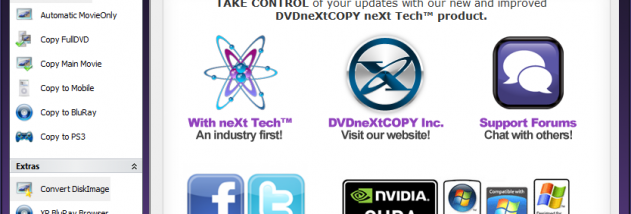

DVD neXt COPY neXt Tech is a Windows DVD copying and conversion program for users who want to make disc copies, save movie content to a computer, or prepare video for portable devices. Its tools combine copying, burning, disc-image handling, and DVD analysis in one application. The workflow is centered on selecting options for a movie, making adjustments, and saving the resulting settings to a local movie database for later use.
The included neXt Tech Updater lets users maintain movie-specific database entries. After analyzing a DVD with the Virtual Player, users can adjust its settings and save the update. The program can then reuse those saved settings when copying the same movie, rather than requiring the adjustment process again. Database files are small and can be transferred to another computer, where they can be loaded for use there. A log creator is also available for preparing information to assist with remote troubleshooting.
Copying options cover DVD-to-DVD, DVD-to-computer, and DVD-to-Blu-ray workflows. The software can place multiple DVD movies on a Blu-ray disc, copy episodic discs, and retain multichannel audio such as Dolby Digital 5.1 and DTS. Other tools handle common data discs, including direct disc-to-disc copying and creation of disk-image files. DVD neXt COPY can burn supported disk images, convert disk-image formats to ISO, and copy a disc to multiple devices. Its speed and quality engines provide controls aimed at balancing copy time and output quality, while an option can disable a DVD's Fast Play function.
For playback away from a DVD player, the program offers conversion for devices including iPod, PSP, Zune, and PS3. It also supports Windows Media Video output and copying DVD content to a computer. These options make it useful for organizing a movie collection, creating backup discs, transferring video for portable playback, or moving content between optical discs and image files. The interface uses a guided workflow with selectable options, while an automatic update checker looks for program updates and an activation system supports license transfer between computers.
DVD neXt COPY neXt Tech is trialware. The supplied system compatibility information includes Windows XP, Vista, 7, 8, and 10, including specified 64-bit editions; Windows 11 is not listed. Its disc-copying and conversion features are intended for DVDs and common data discs, while actual results can depend on the source disc, destination media, and connected drives.