Easy audio mixer for Windows 10 - Full description
Easy audio mixer is a multitrack audio editor for home users who want to make recordings and arrange audio without learning a complex studio application. It supports projects such as podcasts, presentations, music mixes and karaoke recordings, with tools for importing media, recording sound, editing clips and exporting a finished project.
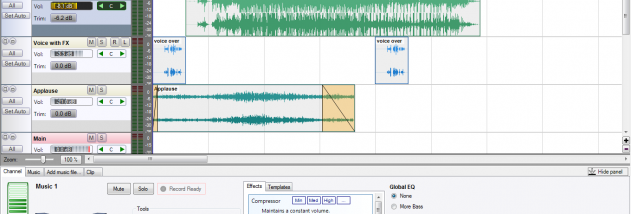
A project can combine audio from several sources. Users can import WAV, MP3, OGG, WMA and MP4 files, then arrange and edit audio clips on separate tracks. Video files can also be brought into a project, making the editor useful when audio needs to accompany visual material. Clip editing helps trim and organize recordings before they are mixed, while channel controls provide a way to adjust parts of the arrangement independently.
For new recordings, the program can capture sound from a microphone, sound card or line input. Built-in effects presets can be applied with a click, offering a straightforward way to alter the sound without manually configuring each effect. Singers can import a backing song, use the vocal-removal feature to reduce its original vocals, and record a new performance over it. The result can then be mixed with the backing audio and other project elements.
The completed project can be exported as audio or video files for playback in common media players. This makes the editor suitable for preparing a podcast episode, a music demo, a presentation soundtrack or a karaoke track in one application. Demonstration videos are included in the help materials to guide users through the editing workflow and the program's main tools.
Easy audio mixer is shareware and is designed for Windows. Its simplified interface is aimed at users who need core multitrack recording and editing features rather than a deeply technical production environment. Supported import formats include WAV, MP3, OGG, WMA and MP4; output can be saved as audio or video. Microphone and line-input recording depends on the available audio hardware and Windows device configuration.