VirtualDJ PRO virtual dj p review by Nik Choudhary (Feb 5, 2020)


nice software

VirtualDJ PRO is DJ software for mixing digital music on a computer. It plays multiple tracks at once, matches tempos, crossfades between decks and provides loops, effects, scratching and cue points. DJs can connect compatible controllers and customize controls with VDJScript. It also supports recording mixes and broadcasting to internet radio, for use at events or during practice.
| Author: | Atomix Productions |
| License: | Freeware |
| Price: | FREE |
| Released: | Jun 5, 2024 |
| File size: | 451.00 MB |
| Downloads: | 13671 |
| Keywords: | VirtualDJ PRO, mixing software, dj mixing software, music mixing, Virtual DJ, mixing application, x64 software, DJ software, dj controller software, dj mixer, bedroom dj, dj mix, mp3 dj mixer, Atomix Productions, mp3 mixing software, record dj mixes, professional audio tools, virtualdj pro, music mixing application, dj mixing, dj tools |
| Author URL: | https://www.virtualdj.com/ |


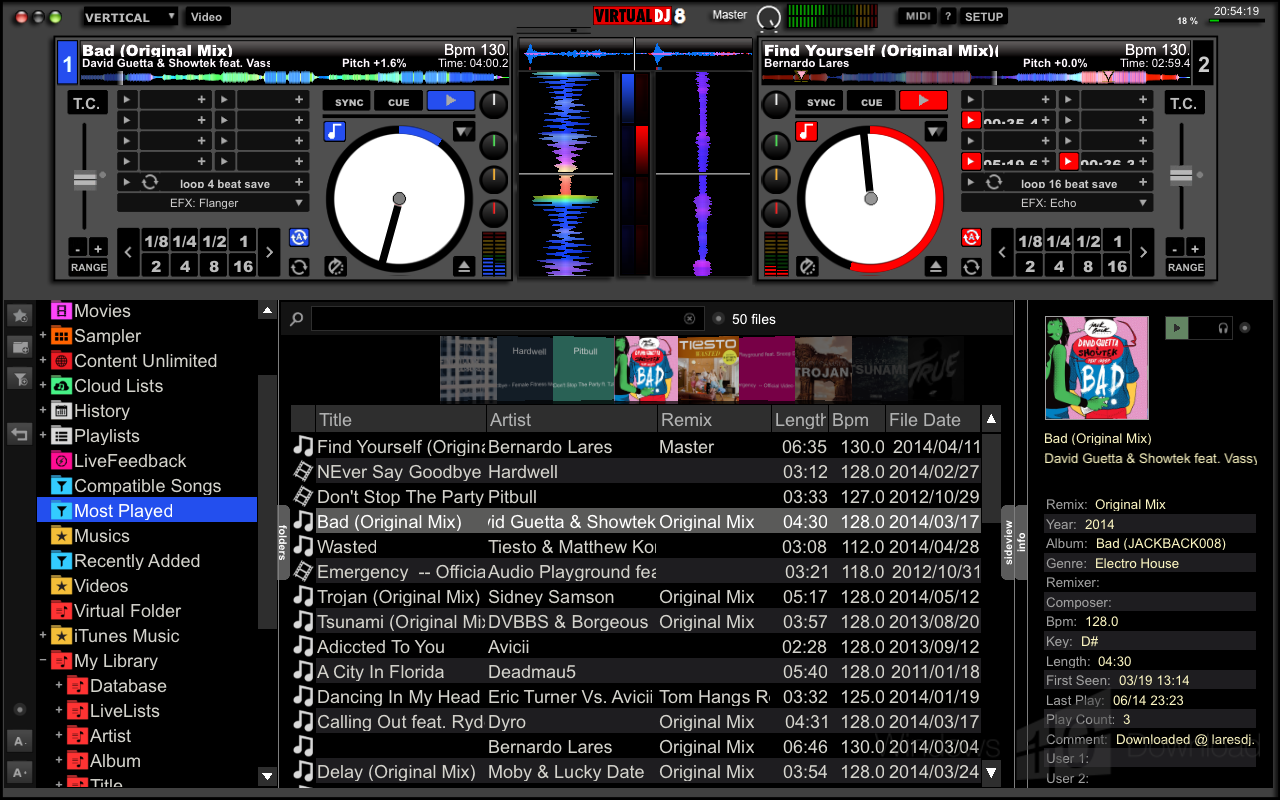


VirtualDJ PRO is DJ mixing software for performers who want to play digital music through a computer rather than rely on separate turntables or CD players. It provides a workspace for loading and controlling tracks, whether the goal is to practice at home, perform at an event or prepare a recorded mix. The software supports live mixing as well as recording and broadcasting, making it useful for both DJs and people producing podcasts or radio-style sets.
The central workflow is to play two or more tracks together and shape how they meet. DJs can adjust playback speed to bring tracks to a matching tempo, crossfade between decks and use loops to repeat sections. Cue points let a performer mark useful positions in a track and return to them during a set. Scratch controls and other familiar DJ functions support hands-on performance, while effects provide additional ways to change the sound or transition between songs.
VirtualDJ can be used with compatible DJ controllers, which connect physical controls to the software's decks and mixing functions. Its VDJScript language allows users to customize how functions behave, while replacement interfaces can change the layout; users can choose community-made designs or create their own. These options suit different equipment and working styles, from a straightforward laptop setup to a more customized performance station.
The software serves a broad range of settings, including club and stadium performances, weddings, private parties and practice sessions. A mix can also be recorded for later listening or shared through internet radio broadcasting. DJs preparing a set can use cue points and looping to work out transitions, while live performers can control tempo, effects and crossfades as the music plays.
VirtualDJ PRO is freeware and runs on Windows 10 and Windows 11, as well as earlier Windows releases. It is intended for digital DJ performance and music preparation, rather than simply playing tracks in sequence. Controller compatibility and customizable controls make it adaptable, though the exact setup depends on the connected hardware and the user's preferred workflow.
nice software
I like this program. Its give full entertainment boring time.rnI love it.
the best dj software ever