Emsisoft Commandline Scanner for Windows 10 - Full description
Emsisoft Commandline Scanner is a malware-scanning utility for system administrators, security specialists and experienced Windows users who prefer to run security checks from a command prompt. It brings the scanning functions of Emsisoft Anti-Malware to a command-line interface, allowing scans to be started from scripts or an administrator session instead of relying on a graphical interface. Its two scan engines are Emsisoft Anti-Malware and Ikarus Antivirus, which examine files for threats such as malware, trojans and worms.
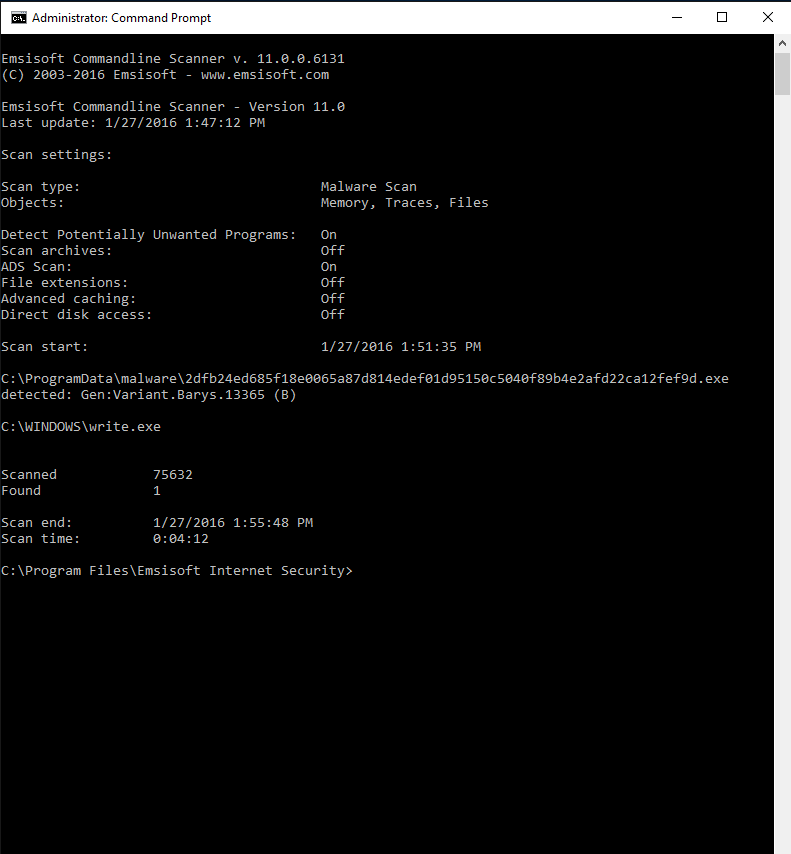
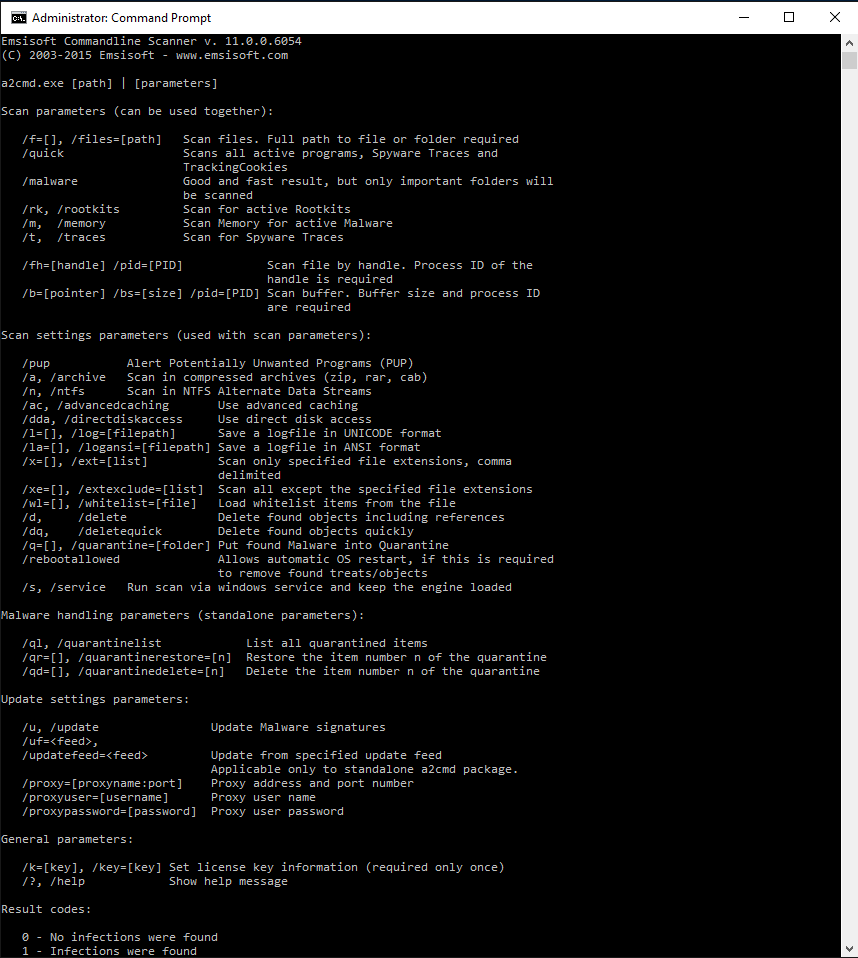
The scanner is launched by running a2cmd.exe with command-line parameters. The /S parameter starts a system scan, providing a direct way to check a Windows computer for infection. Users first open Command Prompt with administrator privileges and change to the folder containing the executable, then enter the command. An overview of available parameters supports other scan configurations, letting experienced users choose options suited to their workflow rather than navigating menus.
The utility can be used from an Emsisoft Anti-Malware installation, where its executable is located in the program folder, or as a self-contained download. It is also available through the Emsisoft Emergency Kit: after extracting the kit, users can start the command-line scanner with its included shortcut. These alternatives make it practical for running checks on an existing installation or using a portable security toolkit without making the scanner depend on a separate graphical launch process.
Command-line operation is useful for repeatable maintenance, scripted checks and incident-response work where administrators need to run a scan from a prompt. It can also suit advanced users who want a direct way to invoke malware scanning or integrate it into an established procedure. The scanner is designed for Windows 10 64-bit and Windows 11. It is trialware and requires familiarity with Windows Command Prompt; administrative privileges are used when following the recommended system-scan procedure.