File Converter

File Converter 2.1

Effortlessly convert files with File Converter!

Unlock the power of seamless file transformation with "File Converter," expertly crafted by Adrien Allard. This intuitive Windows 10 software empowers users to effortlessly convert a wide array of file formats, ensuring compatibility and ease of use. Whether you're converting documents, images, or audio files, File Converter's user-friendly interface simplifies the process, making it accessible for everyone. With lightning-fast performance and robust features, it’s the ultimate tool for anyone seeking efficiency and versatility in file management. Transform your digital experience today!

File Converter 2.1 details

Author:
License: Open Source
Price: FREE
Released:
File size: 53.90 MB
Downloads: 41
Keywords: user-friendly, seamless integration, encode, convert, convert video, lightweight utility, download File Converter, file conversion, Adrien Allard, online tool, converter, document converter, batch processing, compress, File Converter free download, document formats, versatile formats, audio converter, File Converter
Author URL: https://file-converter.io/
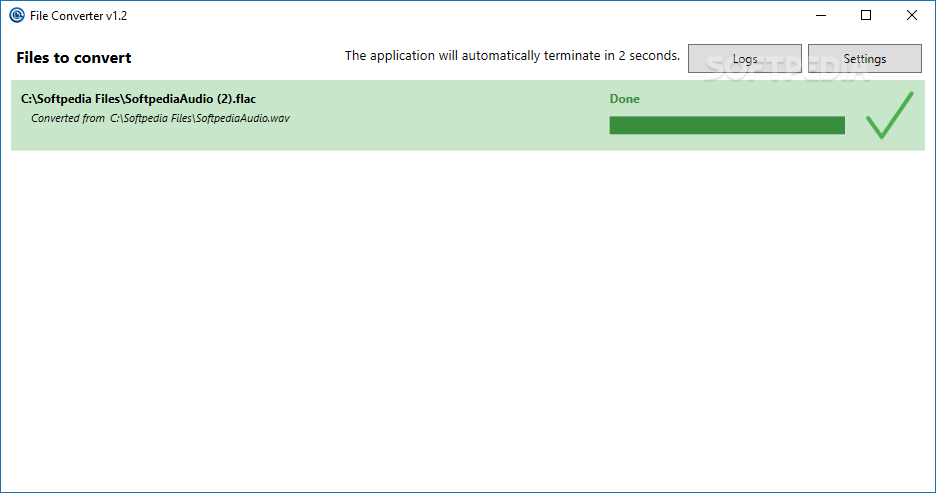
File Converter screenshot
File ConverterRippers & ConvertersWindows 11, Windows 10 32/64 bit, Windows 8 32/64 bit, Windows 7 32/64 bit, Windows Vista

User Rating: 0 (0 votes)

File Converter for Windows 10 - Full description

Unlock the full potential of your files with "File Converter," the versatile software developed by Adrien Allard. Designed for Windows 10, this powerful tool simplifies the process of converting a wide array of file formats, ensuring compatibility across various platforms and devices. Whether you need to transform documents, images, audio, or video files, File Converter offers a user-friendly interface that makes the conversion process seamless and efficient.


With its lightning-fast processing speed, you can convert multiple files simultaneously without compromising quality. The software supports an extensive range of formats, making it an essential tool for professionals and casual users alike. Plus, its batch conversion feature saves you time, allowing you to focus on what truly matters.


Experience the convenience of drag-and-drop functionality, and enjoy customizable settings that cater to your specific needs. Say goodbye to format frustrations and embrace the simplicity of File Converter—your go-to solution for all your file conversion needs on Windows 10. Download it today and transform the way you handle your files!

File Converter for Windows 10 - Post your review