DDFileCatcher
Welcome to the home of DDFileCatcher, a top-tier software solution developed by Robinmatch Limited. This cutting-edge application is designed to streamline your Windows 10 experience, offering ...

FileMenu Tools customizes the Windows right-click context menu, letting users add, remove, or rearrange entries for quicker access to common actions. It also includes utilities for batch renaming, folder synchronization, secure file shredding, and splitting or joining files. Custom commands can launch specific actions or third-party applications directly from the menu.
| Author: | LopeSoft |
| License: | Demo |
| Price: | $9.99 |
| Released: | Oct 25, 2025 |
| File size: | 12.50 MB |
| Downloads: | 439 |
| Keywords: | file splitter and joiner, filemenu tools 7.8, Windows 10 software, right click menu customizer, folder synchronization tool, x64 application, filemenu, context menu, context menu editor, LopeSoft, FileMenu Tools, file management, system customization, menu customizer, customizer, File Menu Tools, customize menu, configure context menu, custom context menu commands, customize, batch rename files |
| Author URL: | https://www.lopesoft.com/ |
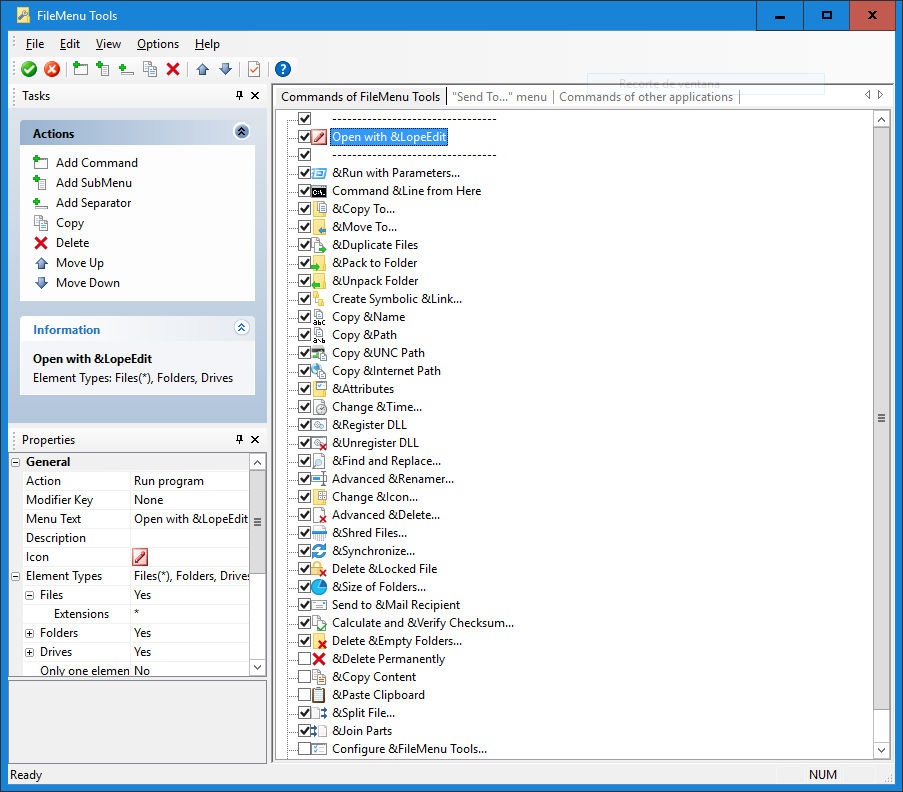
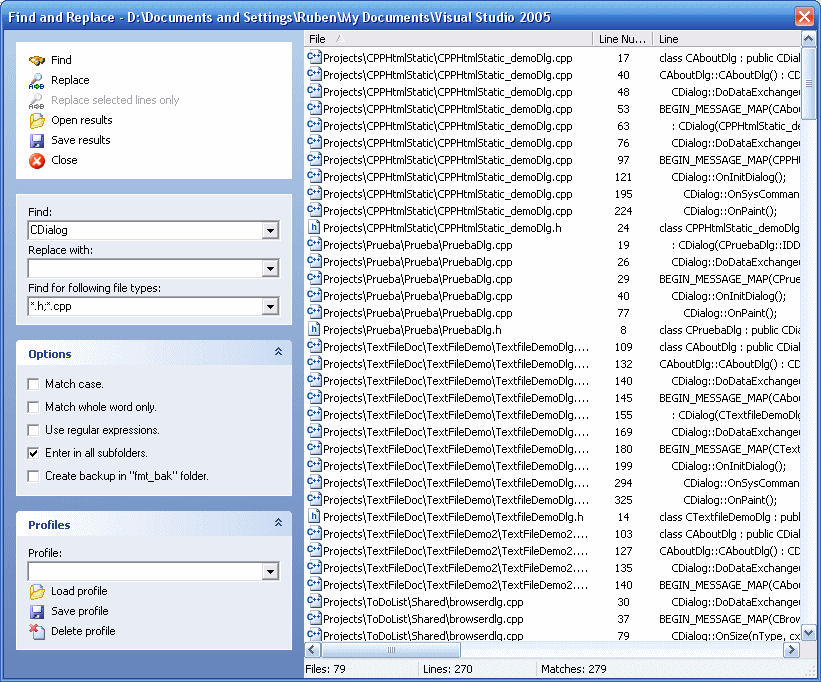




FileMenu Tools is a Windows utility for changing the options available in File Explorer's right-click context menu. It is suited to people who regularly work with files and folders and want common actions close at hand, as well as users who need to tailor the menu to particular tasks. The program lets users add, remove, and rearrange menu entries, helping keep frequently used commands accessible while reducing clutter from options they rarely use.
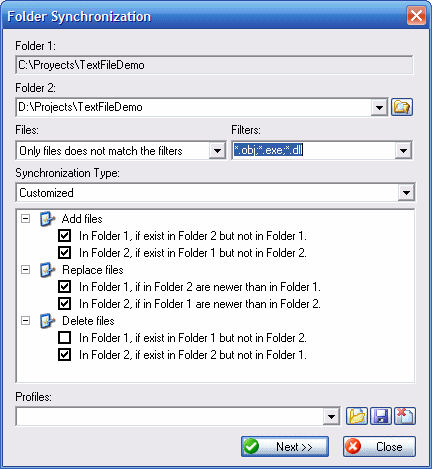
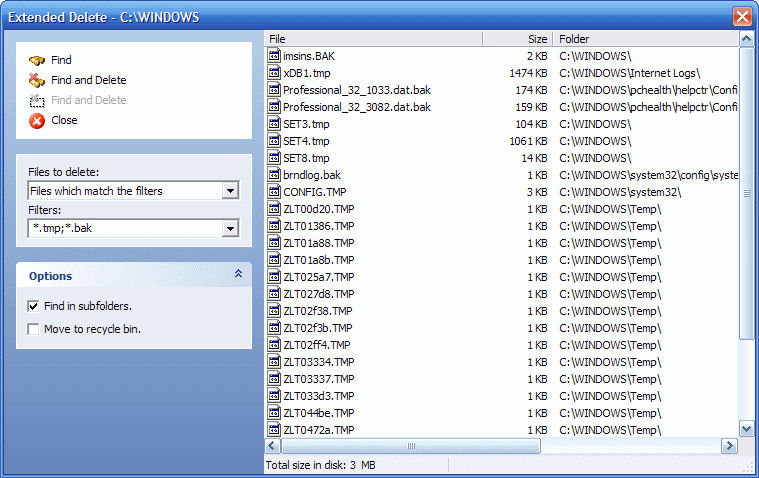
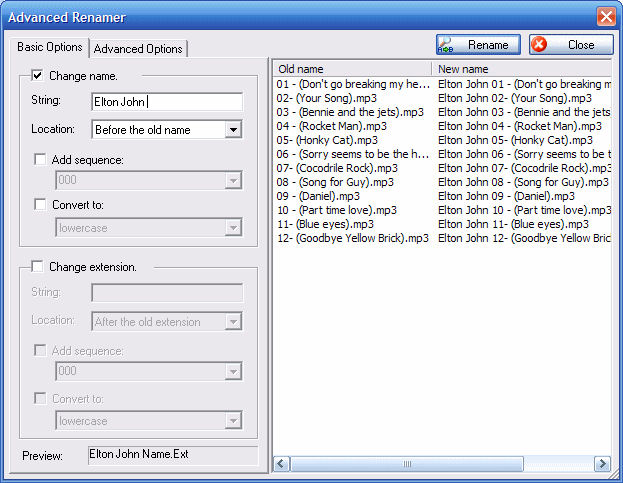
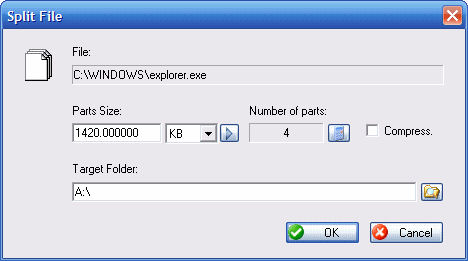
Alongside menu customization, FileMenu Tools includes utilities for everyday file management. Its batch renaming function applies name changes to multiple files in one operation, which can simplify organizing collections of documents, photos, or other files. Folder synchronization helps bring folder contents into alignment, while file splitting and joining can divide a file into smaller parts and recombine those parts later. A file shredding option is also available for deleting files more securely than a standard deletion.
The menu can also launch custom commands. Users can define actions for the context menu, including commands that run third-party applications, making it possible to place a task-specific operation alongside the built-in options. This can be useful for repetitive work: rather than opening a separate program and navigating to a file, the custom action can be selected from the file or folder's right-click menu. The menu editor provides control over which entries appear and their order, so configurations can be organized around the user's workflow.
These features suit a range of file-handling routines, from renaming a group of files and managing folders to invoking a specialized tool on a selected item. The built-in utilities cover common operations, while custom commands extend the menu for tasks that depend on other software. Users who prefer a simpler context menu can remove or rearrange entries instead of adding new actions.
FileMenu Tools is developed by LopeSoft and is offered as demo software. It supports Windows 10 and Windows 11, as well as Windows 7 and Windows 8, with 32-bit and 64-bit support stated for those earlier systems. The interface is available in English and Spanish. Its main purpose is to bring configurable commands and file-management utilities into the Windows context menu, where they can be used directly during routine work with files and folders.