FixVideo – Video Repair Tool for Windows 10 - Full description
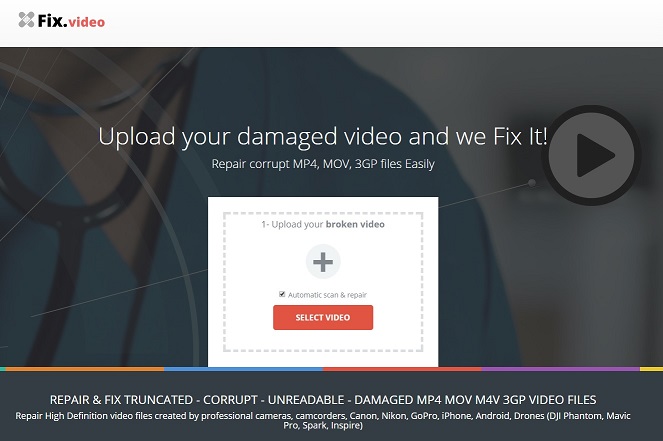
FixVideo - Video Repair Tool is a desktop utility for people who need to recover video files that will not play correctly or have been damaged. It is intended for home users, creators and video professionals handling problems caused by events such as an interrupted power supply, an incomplete file transfer or a virus. The program analyzes damaged files and attempts to repair them on the Windows computer, rather than uploading them to a cloud service.
The tool supports common video containers, including MP4, AVI, MOV and MKV, as well as other formats. This makes it useful when a damaged clip comes from a phone, camera, recording system or editing workflow, provided the file type is supported. The repair process examines the video for errors and applies corrections intended to make the file playable again. Results depend on the type and extent of the damage, so repair cannot be assumed to restore every file or preserve its original quality.
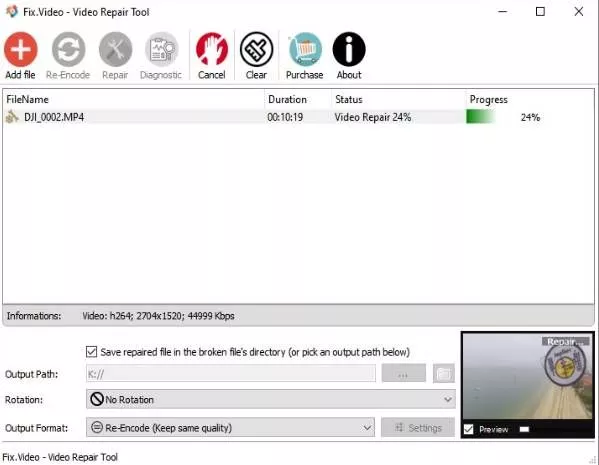
A guided interface walks users through selecting files, starting the repair and checking progress. Batch processing lets several videos be handled together, which can reduce repetitive work when a camera card, transfer or folder contains multiple affected clips. Repairing files locally also keeps the video data on the user's device during processing, a practical consideration for private recordings or work footage that should not be sent to an online service.
Typical uses include trying to recover a clip that became unreadable after a power loss, repairing a file affected by an interrupted copy, and restoring video that has been damaged by malware. It can also help when an important recording needs attention before it can be reviewed or used in a project. The program focuses on repair rather than video editing, so it is best suited to troubleshooting damaged files, not cutting footage or adding effects.
FixVideo is distributed as demo software. It is available for Windows 11 and Windows 10, and also supports Windows 8 and Windows 7 in 32-bit and 64-bit editions. A repair attempt should be made on a copy of an important original whenever possible; keeping the source file unchanged provides a fallback if the result is incomplete. The software's supported formats and local processing make it a straightforward option for users who want to try repairing a damaged video on their own PC.