Grammarly for Windows 10 - Full description
Grammarly is a writing assistant for people who want to check and refine text as they work. It reviews writing for issues such as spelling and grammar, then presents suggested corrections that can be considered or applied. The tool can support everyday emails as well as longer work, including student papers and professional documents, helping writers catch errors before sharing their text.
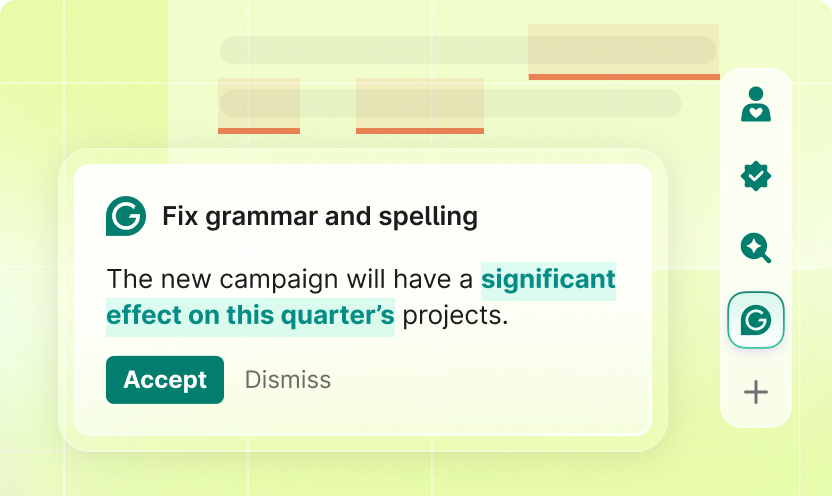
On Windows, Grammarly works alongside supported desktop text editors, including Microsoft Office applications and WordPad. A floating widget gives access to detected issues and proposed changes from within an open document, so corrections can be reviewed in context rather than copied into a separate checker. This makes it easier to work through a document while keeping the original wording and intended meaning in view.
For text composed online, Grammarly also provides a web-based editor. Writers can enter or work with content there and review the resulting corrections in one place. Its settings include options for considering writing style and tone, which can help users assess whether a passage fits its intended purpose. These checks complement basic proofreading: the writer can review suggestions and decide which changes are appropriate instead of accepting every edit automatically.
The combination of desktop support and a web editor suits different writing routines. A student can review an assignment, an editor can check a draft, and someone preparing an email can make a quick pass for mistakes. Because corrections appear while working in supported editors, Grammarly can also be used for repeated checks during drafting, rather than only as a final review. Its suggestions are aids to editing; writers remain responsible for checking that changes preserve their meaning and voice.
Grammarly is shareware and is available for Windows 10 and Windows 11, including 32-bit and 64-bit systems. Installation is intended to be straightforward, with no special configuration steps needed to begin. Its editor integrations and online workspace provide separate ways to review text, while the settings let users tailor the proofing process to their writing. The program is suited to anyone who wants a convenient spelling, grammar, and style check as part of regular writing work.