Portable VidCoder
... for quick processing. Harness the capabilities of the robust HandBrake engine, enabling you to convert videos to various formats while maintaining high quality. Customize your output ...

HandBrake is an open-source video transcoder for converting existing video files into formats suited to different playback and storage needs. It offers presets for common conversion tasks, with controls for dimensions, filters, audio tracks, and subtitles. Users can customize presets, scan folders for source files, and queue multiple conversions. It runs on 64-bit Windows 10 and Windows 11.
| Author: | Titer |
| License: | Open Source |
| Price: | FREE |
| Released: | Oct 31, 2026 |
| File size: | 24.20 MB |
| Downloads: | 330 |
| Keywords: | dvd converter, video encoding software, batch conversion capability, converter, batch video conversion, open-source transcoder, convert video files, video transcoder, hand brake, video conversion tool, HandBrake software, dvd ripper, rip, video converter with presets, ripper, handbrake video converter, customizable output settings, DVD ripping feature, dvd to mp4 |
| Author URL: | https://handbrake.fr/ |

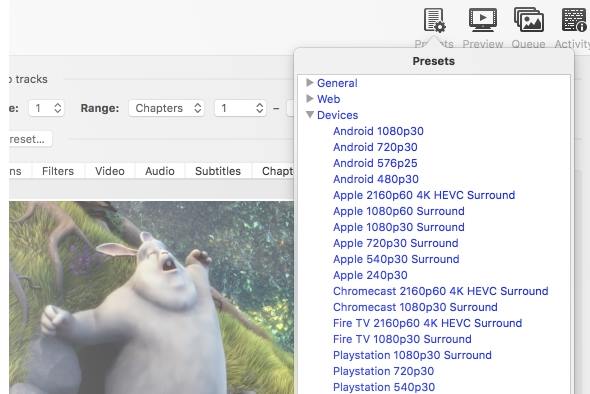
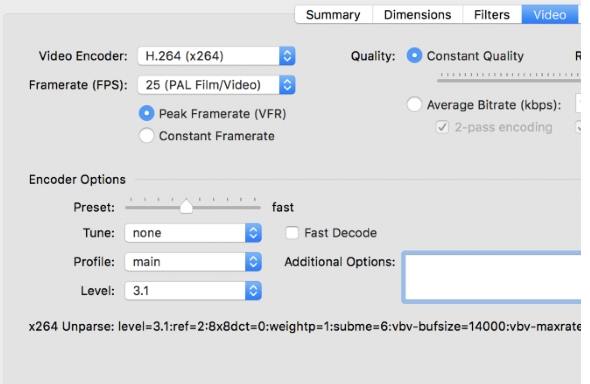
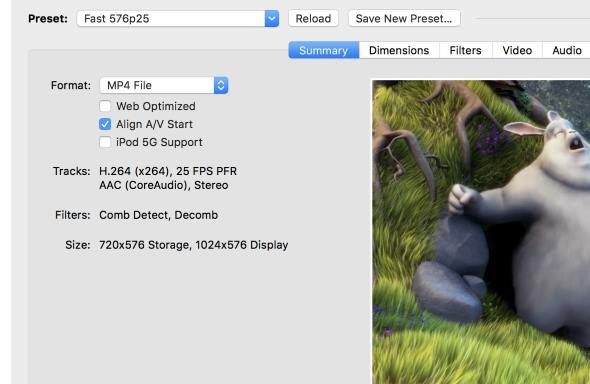

HandBrake is an open-source video transcoder for converting video files into formats suited to different devices, playback software, or storage needs. It is useful for people who want to reduce file size, adjust picture dimensions, or make a video easier to play on another system. Rather than serving as a full video editor, it focuses on processing existing video and audio into a new file.
The workflow begins by opening a video or scanning a folder for source files. HandBrake then presents settings for the output, including format, dimensions, filters, audio tracks, and subtitles. Presets provide ready-made combinations of these options for common purposes, helping users avoid adjusting every setting individually. A preset can also be customized when its defaults do not match a particular playback or quality requirement.
For more control, users can change encoding settings and tune how the resulting video is processed. Picture dimensions can be adjusted, while filters can address image characteristics during conversion. Audio and subtitle controls let users choose which tracks to include and configure them as part of the output. These options make it possible to balance quality, compatibility, and file size according to the source material and intended use.
HandBrake can process multiple files through its queue, which is useful when converting a collection rather than handling each video as a separate task. Folder scanning helps identify source files for batch work, and the queue provides a way to prepare conversions before running them. Typical uses include creating smaller copies for storage, preparing videos for playback on a selected device, and changing a file's encoding or dimensions while retaining chosen audio and subtitle tracks.
The program is free and open source, and this Windows edition is intended for 64-bit Windows 10 and Windows 11. Conversion options and results depend on the source file and the selected settings; a preset is a starting point rather than a guarantee that every output will suit every device. HandBrake is aimed at users who want practical conversion controls, with simpler preset-based setup available alongside more detailed adjustments.