HippoEDIT
HippoEDIT is a Windows text and source code editor aimed at programmers and other users who work with structured text. Its tabbed interface brings multiple ...

HippoEDIT is a 64-bit Windows text and source code editor for programmers and power users. It combines a tabbed workspace with syntax highlighting for many languages, auto-completion, code hints, templates, and source navigation aids. Project and file explorers, a help browser, external tool integration, customizable shortcuts, encoding options, and advanced clipboard handling support varied editing workflows.
| Author: | HippoEDIT.com |
| License: | Trialware |
| Price: | $39.95 |
| Released: | Sep 1, 2017 |
| File size: | 3.92 MB |
| Downloads: | 409 |
| Keywords: | x64 text editor, syntax highlighting editor, source code editor, code editor, x64 syntax highlight, x64 editor, programming text editor, software review, code completion editor, text editor with tabs, Windows 10 compatible, x64 source code editor, x64 edit, html code editor, HippoEDIT.com product, HippoEDIT x64, text editing tool, x64 syntax |
| Author URL: | http://www.hippoedit.com/ |
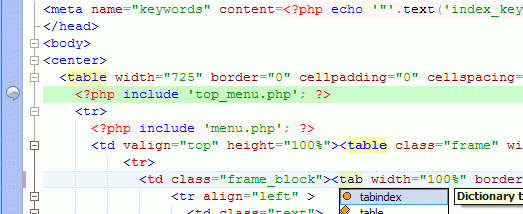

HippoEDIT is a 64-bit Windows text and source code editor aimed at programmers and other users who work with plain-text files. Its tabbed workspace brings editing together with File Explorer, Project Explorer, a web and help browser, and external tool integration. The interface supports different schemes, while its broad set of editing commands and navigation aids can be adapted to individual workflows.
The editor provides syntax highlighting for languages including PHP, HTML, Perl, Java, Pascal, C and C++, XML, and XSLT. Language definitions can be embedded or inherited, allowing code such as JavaScript, PHP, or CSS to be highlighted inside HTML. Users can also add languages through syntax files. During editing, auto-completion draws on syntax dictionaries and statistical information, while real-time code hints suggest likely text. A template engine and built-in tags help insert recurring code structures.
For reading and navigating source, HippoEDIT offers code outlining, scope indication, changed-line markers, brace mismatch highlighting, and indentation guides. More than 300 integrated commands can be assigned custom keyboard shortcuts. Search and replace tools, language-specific formatting rules, and multiple undo and redo steps support larger editing sessions. The clipboard ring keeps copied text available for reuse, and drag-and-drop works with both text and files. Syntax-highlighted text can be copied into other applications, or highlighted code can be pasted as HTML back into the editor.
The combination of project browsing, code assistance, and configurable commands suits programming tasks that involve inspecting source files, editing multiple documents, or working with embedded languages. The integrated browser and external tools can keep help material and related utilities close to the editing workspace. Encoding options are useful when handling text files from different sources, and print preview with WYSIWYG output supports preparing documents on paper.
HippoEDIT is trialware and is distributed as a 64-bit Windows application. Its feature set is centered on desktop text editing rather than a general office suite, with tools for source navigation and code-focused workflows. Users considering it for a particular Windows installation should check current system compatibility before installing.