iCloud Control Panel
Welcome to the download page of iCloud Control Panel for Windows 10, developed by the ... seamlessly integrates your Windows 10 PC with your iCloud account, offering a seamless experience across devices. With ...

iCloud for Windows connects a PC to Apple's cloud services for users who work across Windows and Apple devices. It can sync iCloud Drive files with File Explorer and provide access to photos and videos stored in iCloud Photos. Depending on supported features and settings, it can also sync passwords and browser bookmarks. Users sign in with an Apple Account and choose which services to enable, making it easier to move files and media between a PC, iPhone, iPad and Mac.
| Author: | Apple Inc |
| License: | Freeware |
| Price: | FREE |
| Released: | Jul 30, 2025 |
| File size: | 154.00 MB |
| Downloads: | 336 |
| Keywords: | Apple Inc., cloud storage, icloud password manager, icloud photos on pc, apple cloud storage, Windows 10, desktop, iCloud, icloud for windows, icloud, share, internet, data synchronization, icloud bookmark sync, x64 software, icloud drive sync |
| Author URL: | https://support.apple.com/en-us/HT204283 |
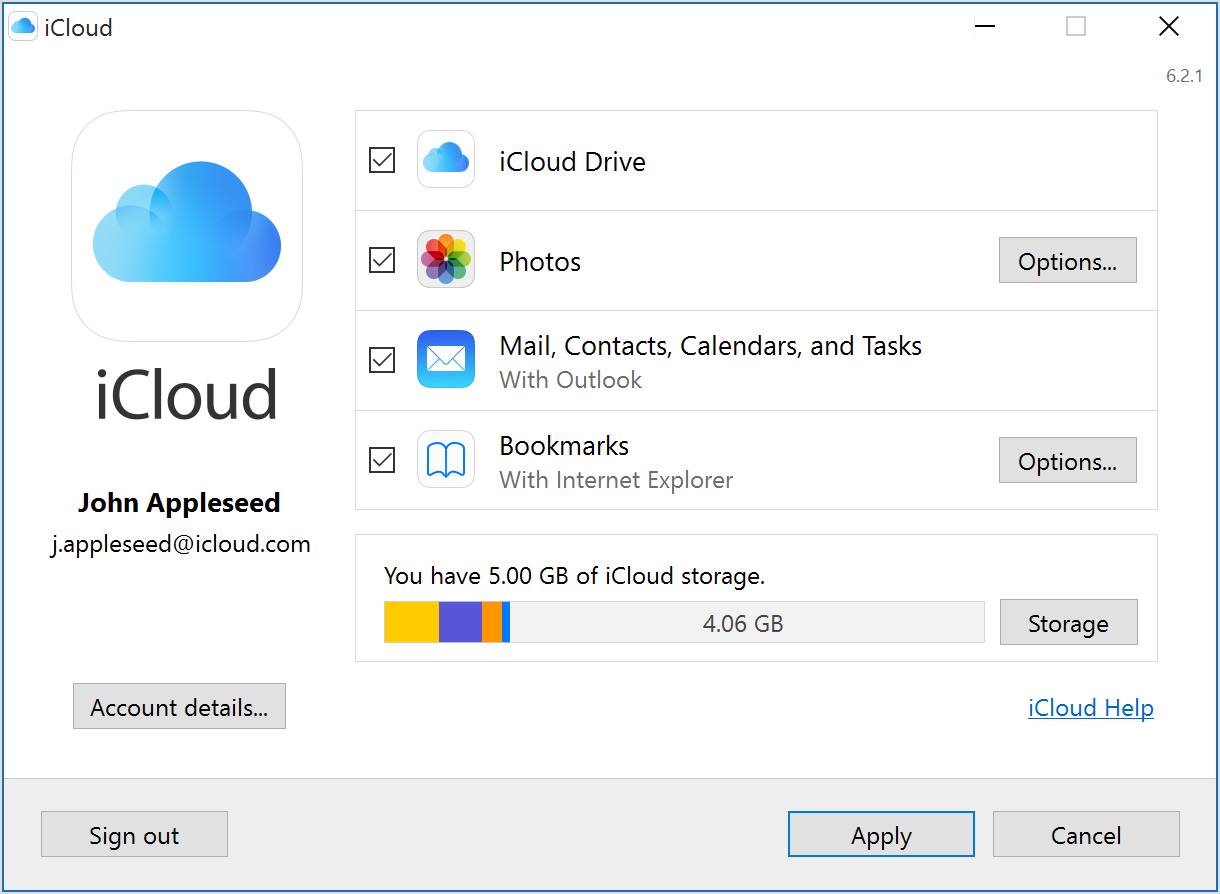





iCloud for Windows connects a Windows PC to Apple's iCloud services, making it useful for people who use an iPhone, iPad or Mac alongside a PC. After signing in with an Apple Account, users can access selected iCloud content from Windows and keep supported items synchronized with their other devices. It is a companion for Apple's cloud services rather than a general-purpose backup utility for the PC.
iCloud Drive places cloud files in File Explorer, where they can be opened, saved and organized alongside local documents. Changes to supported files are synchronized, helping keep working copies current across devices. Users can select which iCloud Drive content to keep available on the PC, which is useful for managing local storage when a cloud library contains more files than the computer needs to hold offline.
The Photos feature provides access to pictures and videos stored in iCloud Photos from Windows. Users can view and download their media, and add supported photos or videos from the PC to the iCloud library. This offers a way to bring Windows files into an Apple photo collection and retrieve images taken on Apple devices without manually transferring each item. Shared albums can also be accessed where supported by the installed app and account settings.
Depending on the installed app and enabled services, iCloud for Windows can also synchronize iCloud Passwords and browser bookmarks. Passwords can be used with supported Windows browsers through Apple's extensions, while bookmark synchronization helps keep saved sites consistent between a supported browser and Safari. The app's settings let users choose which services to enable, so they can limit synchronization to the features they actually use.
The software is intended for Windows users with an Apple Account and is available as freeware. It supports Windows 10 and Windows 11 according to the supplied system information; the information also names earlier Windows releases, but support for those systems can depend on the current distribution and Apple's requirements. An internet connection and account sign-in are needed for cloud synchronization. iCloud storage capacity is shared across enabled services, and available space depends on the account's storage plan. Device backups and some account features are managed through Apple devices or online services rather than the Windows app.