IconCool Editor
... software tool to enhance their creative endeavors. Introducing IconCool Editor, a cutting-edge application developed by the renowned Newera Software Technology Inc. With its sleek and intuitive interface, this software ...

IconCool Studio Pro is a Windows graphics editor for creating and editing icons, animated cursors, GIFs, JPGs and PNGs. Standard image tools, filters and effects help refine artwork, while the included IconCool Mixer lets users assemble custom icons from layers and ready-made design elements. It also supports Vista icons, multi-format import and export, and Photoshop plug-in and transfer features.
| Author: | Newera Software Technology Inc. |
| License: | Trialware |
| Price: | $39.95 |
| Released: | Feb 25, 2022 |
| File size: | 27.00 MB |
| Downloads: | 296 |
| Keywords: | editor, graphic design software, Newera Software Technology Inc., gif editor, icon editor, extraction, icon editing tool, Windows 10 compatible, GIF creator, cursor builder, png and jpg editor, icon maker, icon extraction, x64 software, icon, IconCool Studio Pro, animated cursor editor |
| Author URL: | https://www.iconcool.com/ |
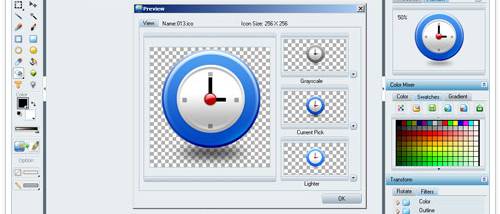



IconCool Studio Pro is a Windows graphics editor for creating and modifying icons, animated cursors and common image files. It is intended for designers and Windows users who need to build custom interface graphics, refine existing artwork or prepare images for use in software and desktop environments. The Pro edition includes IconCool Mixer, a workspace for assembling icons from layers and ready-made design elements.
The editor provides standard image-editing tools alongside filters and visual effects. These can be used to adjust artwork, add finishing touches and create variations suited to different icon designs. Mixer supports a layered workflow: elements can be placed and combined separately, making it easier to revise a composition without rebuilding the entire image. Its supplied design elements provide starting points for new icons, while custom artwork can be used to create designs from scratch.
IconCool Studio Pro works with icon and animated cursor formats, and it can also edit GIF, JPG and PNG images. Multi-format import and export allow artwork to be brought into the editor from different sources and saved for use in other applications. Support for Vista icons helps with creating icons for Windows environments, while the Photoshop plug-in and transfer features provide an additional route for incorporating compatible image-editing workflows.
The program can be used to design application and folder icons, create cursor graphics, edit GIF images or adapt existing PNG and JPG artwork. Its combination of format support and layered composition is useful when a project requires both detailed editing and output in several graphics formats. Animated cursor and GIF work also makes it suitable for graphics that need movement rather than a single static image.
IconCool Studio Pro is trialware for Windows. Its stated operating-system support includes Windows XP through Windows 11, with both 32-bit and 64-bit editions listed for some earlier releases. The feature set centers on 32-bit icon editing and creation, alongside cursor and image editing. The supplied installer is approximately 27 MB.