IconCool Studio Pro
IconCool Studio Pro is a Windows graphics editor for creating ... software and desktop environments. The Pro edition includes IconCool Mixer, a workspace for assembling icons from layers ...

IconCool Studio is an image editor for creating 32-bit icons and editing GIF, JPG, and PNG files. Its standard drawing tools, filters, and effects support artwork refinement, while the Mixer combines layers and ready-to-use design elements for building icons from scratch. It also handles cursor formats, including animated cursors, and supports multi-format import and export, Vista icons, and Photoshop plug-in and transfer features.
| Author: | Newera Software Technology Inc. |
| License: | Trialware |
| Price: | $39.95 |
| Released: | Feb 25, 2022 |
| File size: | 27.10 MB |
| Downloads: | 316 |
| Keywords: | icon editor, cursor builder, 32 bit icon maker, icon, Newera Software Technology Inc., graphic design tool, animated cursor editor, IconCool Studio, editor, icon design software, gif image editor, icon editing software, png editor, extraction, GIF creator, Windows 10 compatible, x64 architecture |
| Author URL: | https://www.iconcool.com/ |
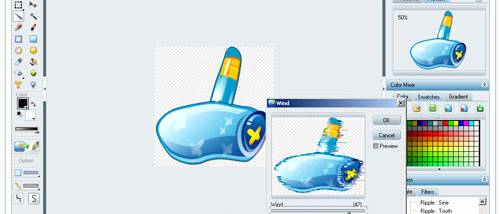



IconCool Studio is an image editor for creating and refining 32-bit icons, as well as editing several common image formats. It is intended for designers and developers who need to make custom icons or cursors, adjust existing artwork, and prepare images for use in software and other projects. Its interface combines familiar image-editing tools with features focused on icon design, including layered composition and format conversion.
The standard editing tools provide a way to draw and alter artwork, while filters and effects can be applied to change its appearance or add visual detail. For designs built from scratch, the included Mixer combines multiple layers with ready-to-use design elements. This lets users arrange separate parts of an icon and refine the composition without treating the image as a single flattened piece. The same editing approach can be used to revise imported artwork before saving it in a suitable format.
Beyond static icons, the program supports cursor files, including animated cursors, and can edit GIF, JPG, and PNG images. This makes it useful for work involving small interface graphics as well as general image adjustments. Multi-format import and export help move artwork between supported file types, while support for Vista icons accommodates icon designs intended for that format. Photoshop plug-in and transfer features provide an additional route for working with Photoshop-related content.
Typical tasks include drawing an icon from scratch, enhancing an existing icon with filters, assembling artwork from layered elements, editing an animated cursor, or making changes to a GIF, JPG, or PNG file. The combination of image editing and icon-specific formats makes IconCool Studio suited to personal graphics projects and software asset preparation. It is trialware and is available for Windows, including Windows 10 and Windows 11.