MetaFox
Welcome to the download page for MetaFox, a cutting-edge software developed by Shark007 exclusively for Windows 10 users. MetaFox is a powerful and versatile tool designed ...

Jubler x64 is an open-source editor for creating, correcting, translating and synchronizing text-based subtitles. It supports formats such as SubRip, SubStation Alpha, Advanced SubStation Alpha, SubViewer, MicroDVD and MPL2, along with Java-supported text encodings. Video preview, waveform display, spell checking, translation mode and style editing help with review and preparation.
| Author: | Panayotis Katsaloulis |
| License: | Open Source |
| Price: | FREE |
| Released: | May 31, 2020 |
| File size: | 25.00 MB |
| Downloads: | 395 |
| Keywords: | x64 subtitle editor, x64 sync, Jubler x64, subrip editor, subtitle synchronization, Panayotis Katsaloulis, subtitle editor, Windows 10 software, subtitle translator, x64 correct subtitle, x64 edit subtitle, open-source tool, x64 subtitle, subtitle format converter, subtitle spell checker, multilingual support, x64 spellcheck |
| Author URL: | http://www.jubler.org/ |

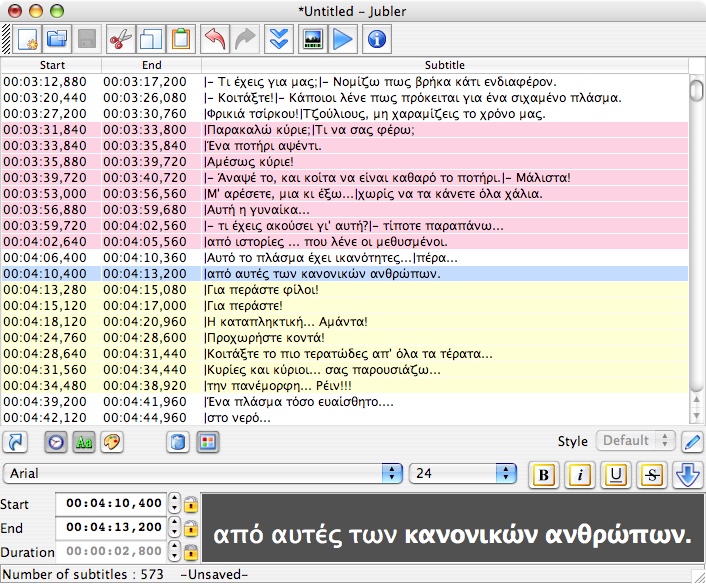

Jubler x64 is an open-source subtitle editor for creating subtitles from scratch and revising existing text-based subtitle files. It is suited to translators, video editors and others who need to correct wording, adjust timing or prepare subtitle tracks for a movie. Rather than editing video itself, Jubler works with subtitle text and can display that text alongside video during review.
The editor supports formats including Advanced SubStation Alpha, SubStation Alpha, SubRip, SubViewer 1 and 2, MicroDVD, MPL2 and Spruce DVD Maestro. This lets users open and save subtitles in several commonly used formats, and convert or transform files when moving between workflows. Text encoding options cover encodings supported by the Java platform, including UTF-8; a preferred-encoding list helps when opening localized files. For SubStation formats, subtitle styles can be set for an entire subtitle or for individual characters.
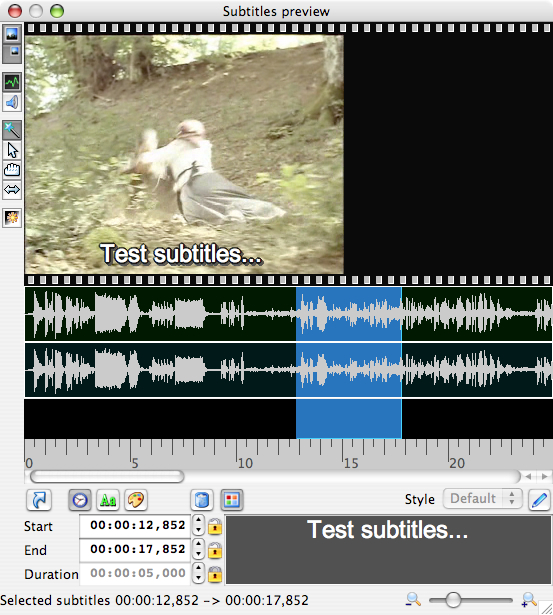
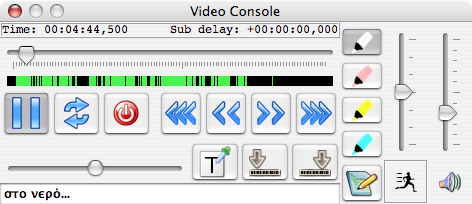
For timing and visual checks, Jubler can show a graphical preview using the FFmpeg library, including the current video frame and an audio waveform. Subtitles appear over the preview and can be repositioned or resized graphically. The waveform can also be listened to, which helps locate dialogue and align subtitle entries with speech. When using an MPlayer video player, users can test a subtitle file while continuing to edit, add entries during playback and synchronize subtitles with the movie. Color marks distinguish entries during editing or playback.
A translation mode pairs parent and child editors so translators can work from an existing subtitle track while preparing its translation. Spell checking includes dictionary selection, useful for reviewing names, accents and language-specific vocabulary. The combination of format conversion, text correction, styling and playback review makes the editor useful for preparing subtitles, updating existing tracks, translating dialogue and checking synchronization before delivery. Interface internationalization is supported through gettext utilities.
The Windows x64 edition is open source and is intended for 64-bit Windows systems. Video preview features rely on FFmpeg, while the supplied cross-platform installer information notes that generic installations may lack FFmpeg support. Jubler also includes an automatic update feature. Its subtitle-focused workspace keeps text, timing and visual checks together, although playback and preview depend on the associated video tools and libraries being available.