Jubler x64
Jubler x64 is an open-source subtitle editor for creating ... for a movie. Rather than editing video itself, Jubler works with subtitle text and can display that ...

Jubler is an open-source editor for creating and revising text-based subtitles. It supports formats such as SubRip, SubStation Alpha, SubViewer, MicroDVD and MPL2, and can convert or correct subtitle files. Video preview, waveform tools, spell checking, translation mode and timing synchronization help users check subtitles alongside a movie.
| Author: | Panayotis Katsaloulis |
| License: | Open Source |
| Price: | FREE |
| Released: | May 31, 2020 |
| File size: | 23.00 MB |
| Downloads: | 490 |
| Keywords: | subtitle spell check, edit subtitle files, spellcheck, multimedia tool, subtitle editor, Jubler software, Panayotis Katsaloulis, Windows 10 compatible, subtitle, x64 application, subtitle translation, correct subtitle, sync, subtitle format converter, subtitle synchronization, edit subtitle |
| Author URL: | http://www.jubler.org/ |
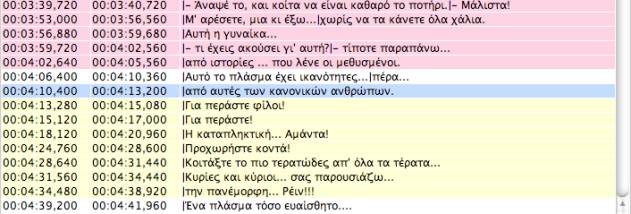
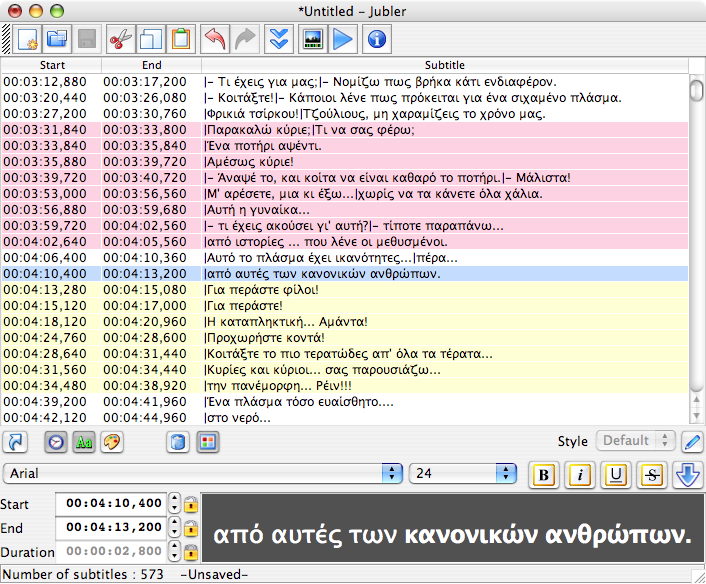
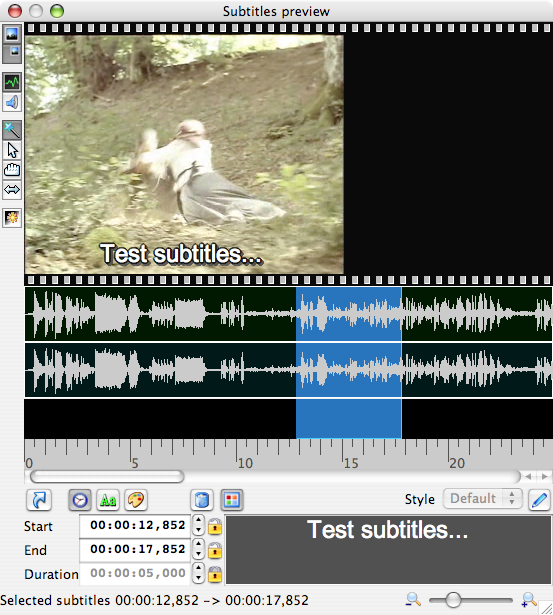

Jubler is an open-source subtitle editor for creating subtitles and revising existing text-based subtitle files. It is suited to translators, video editors and other users who need to correct wording, adjust timing or prepare subtitles for a video. Its editing tools combine text and timing controls with video preview, so changes can be checked in context rather than only in a subtitle list.
The program works with common subtitle formats, including Advanced SubStation Alpha, SubStation Alpha, SubRip, SubViewer, MicroDVD, MPL2 and Spruce DVD Maestro. It can convert and transform subtitle files as well as edit them, making it useful when adapting subtitles between supported formats. Text can be loaded using encodings available through Java, with preferred encodings selectable for localized files. For SubStation formats, Jubler also supports styles that apply to a subtitle or to individual characters.
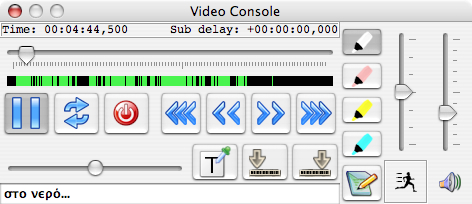
For timing and visual checks, Jubler can display subtitles over video through its graphical preview, which uses the FFmpeg library. The preview can show the current frame and an audio waveform, and the waveform can be played. Subtitle graphics can be moved and resized in the preview. During playback with MPlayer, edits can be made while the video runs; users can add a subtitle in real time or synchronize subtitle timing with the movie. Different colors help distinguish subtitles during editing or playback.
A translation mode provides parent and child editors, allowing source text and its translation to be worked on together. Spell checking with selectable dictionaries helps identify errors in subtitle text. These tools support workflows ranging from drafting captions and translating dialogue to refining timing and checking a finished subtitle file against its video. The interface also supports multiple languages through gettext utilities, and an automatic update feature is included.
Jubler is free and open source, and is available for Windows as well as other desktop platforms. Video preview relies on FFmpeg, while video playback uses MPlayer; the generic installer for other platforms does not include FFmpeg support. The Java-based encoding support allows a range of text encodings to be used when loading subtitles. Users can work with supported formats directly and save styled subtitles in SubStation formats.