Kantaris Media Player for Windows 10 - Full description
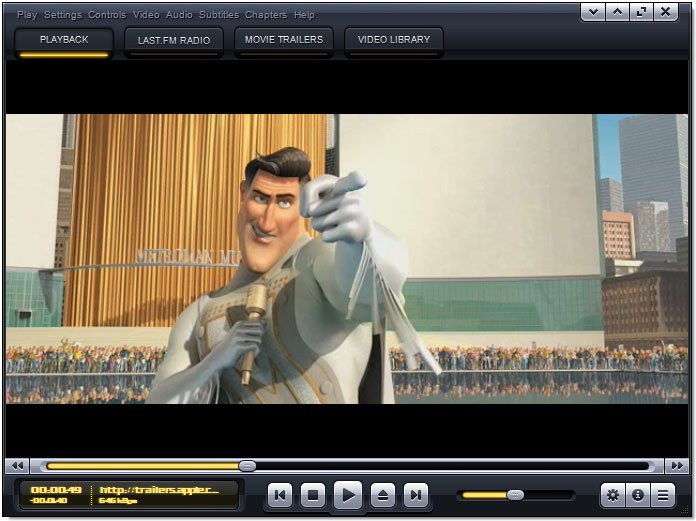
Kantaris Media Player is an open-source program for playing video and audio files on a Windows PC. It is intended for people who want one desktop application for everyday media playback, including users with collections that contain different file types. Its playback technology is based on VLC, giving it broad format support without requiring users to install a separate codec for every common media type.
The player handles video and music from local files, so a media collection can be opened directly rather than converted to a special format first. Kantaris also supports DVD playback, making it useful for watching disc-based video on a computer with a compatible drive. When a file includes subtitles, they can be displayed during playback; this is helpful for foreign-language content or for viewers who prefer captions. Playback controls provide the usual ways to pause, seek through a file, adjust volume and move between items.
For music listening, Kantaris can organize playback through playlists, allowing users to group tracks for an album, activity or listening session. Audio visualizations add animated effects while music plays. The interface brings video and audio playback together in a single program, so users can switch between watching films and listening to music without opening separate players. Its VLC-based playback foundation is also useful when a library includes formats that are not handled by basic Windows playback tools.
Kantaris suits home users who want a straightforward player for locally stored music, films and DVDs, as well as people who prefer open-source software. It can serve as a general-purpose alternative to a collection of format-specific playback applications. Subtitle support and playlists address common viewing and listening needs, while the visualizations offer an optional accompaniment for music.
Kantaris is free and open source. It supports Windows 10 and Windows 11, as well as Windows 7 and Windows 8 in both 32-bit and 64-bit editions. The installer is approximately 57 MB. Playback of physical DVDs depends on having a suitable disc drive, and support for individual media files can depend on their encoding and the components available on the system.