WACUP
WACUP, or Winamp Community Update Project, is a powerful and innovative media player designed to breathe new life into the classic Winamp experience. Developed by the talented Darren Owen, WACUP ...

Winamp is a customizable Windows media player for music, video and tracker modules. It organizes tracks into playlists, supports skins such as Bento and Modern, and can be configured as an audio-only player. Plug-ins add playback and output options, while its podcast directory and URL playback provide ways to access online content. It is freeware for Windows 10 and 11.
| Author: | Nullsoft |
| License: | Freeware |
| Price: | FREE |
| Released: | Apr 27, 2023 |
| File size: | 12.40 MB |
| Downloads: | 1694 |
| Keywords: | multimedia player, winamp module player, music player, winamp playlist, download winamp, winamp music player, Winamp, winamp skin, streaming capabilities, winamp 5, media player software, Nullsoft Winamp, customizable interface, winamp media player, playlist management, winamp audio player, audio playback, media player, winamp skins |
| Author URL: | https://www.winamp.com/ |
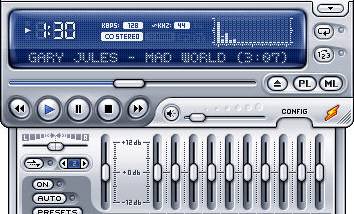
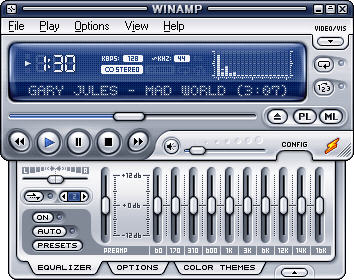


Winamp is a multimedia player for listening to digital music and playing video on Windows. Its compact interface and support for skins make it suitable for people who want a customizable desktop player, whether they maintain a local music library or open individual files. It can also be configured as an audio-only player by disabling video playback, keeping the interface focused on music.
Playlists provide a way to group tracks, arrange playback order and return to collections without opening files one at a time. The player list feature offers another way to organize playback, while the playlist editor can help browse file paths and edit track titles. Winamp also includes controls for opening media from a URL, and its command-line support can be used to enumerate playlists as part of a scripted workflow.
The interface can be changed with skins, including the Bento and Modern layouts. These provide different arrangements for the player and its controls, letting users choose a familiar compact view or a more expansive workspace. Plug-ins extend playback and output options; the available features include Windows Audio Session API output support. The OpenMPT-based module player handles tracker music, including compressed module files such as ITZ, MDZ, S3Z and XMZ. Video playback has its own preferences, including an option to start videos in full-screen mode.
Winamp is useful for playing a personal collection of music, managing playlists, listening to tracker modules and viewing supported video files. Its podcast directory provides a way to find podcast content within the program, while URL playback can be used for online media sources. The mix of skins, playlist tools and plug-in support makes it adaptable to different listening habits without requiring users to rely on a browser for everyday local playback.
Winamp is freeware and supports Windows 10 and Windows 11, as well as earlier Windows releases. It is available in multiple languages, including English, Chinese, Japanese, Spanish, Korean, German, French, Italian, Dutch, Polish and Swedish. The player is intended for desktop use, and its optional features - such as video playback, output plug-ins and skins - can be selected according to the way it is used.