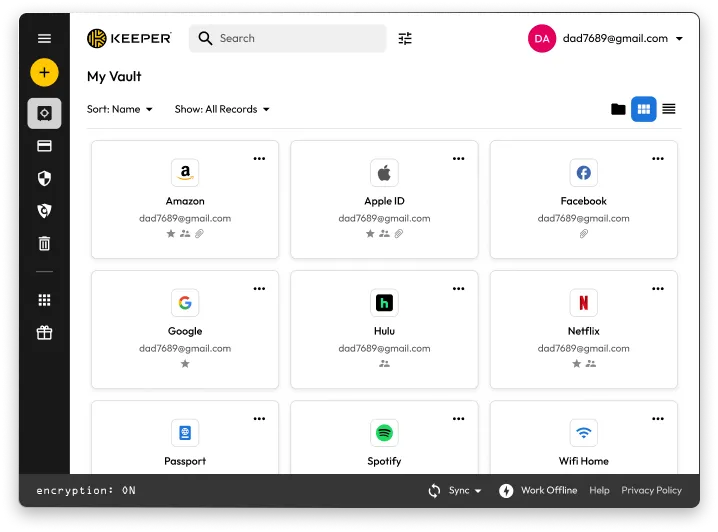
Keeper for Windows 10 - Full description
Keeper is a password manager for individuals and organizations that keeps account credentials and other sensitive information in an encrypted vault. It helps users replace weak or reused passwords with unique credentials and retrieve them when signing in. Its zero-knowledge security architecture is designed so vault data is accessible only to the user, rather than readable by Keeper Security.
The password generator creates strong, distinct passwords for online accounts, reducing the need to invent or remember each one. Keeper's autofill feature works with browsers and mobile devices to enter saved login details, making it easier to use complex passwords during everyday sign-ins. The vault provides a central place to manage credentials instead of keeping them in notes or reusing the same password across services.
Keeper can also store sensitive files, applying vault protection to documents as well as login information. Users who access their vault on more than one device can keep it available across desktop, tablet and smartphone workflows. For organizations, business-oriented features include administrative controls, compliance reporting and integrations with existing IT infrastructure, helping administrators manage security across employee accounts.
Individuals can use Keeper to organize personal logins, generate replacements for weak passwords and protect confidential documents. Businesses can use its administrative and reporting capabilities as part of their credential-management practices. The application is intended to make these security tasks manageable through an interface designed for both technical and nontechnical users.
Keeper is trialware and is available for Windows 10 and Windows 11, including 32-bit and 64-bit systems. Browser and mobile autofill support can extend its use beyond the Windows desktop. The Windows edition provides access to the password-vault functions, while availability of particular services and integrations may depend on the user's account and setup.