PDF-XChange Pro
PDF-XChange Pro is a Windows PDF creation and conversion suite for people who need ... from office applications and other software into searchable PDF files. It combines a virtual PDF printer with ...

LeoPDFree is a Windows PDF utility for editing, converting, annotating, and organizing documents. It can modify text and images, add highlights, comments, or drawings, convert PDFs to and from Word, Excel, and PowerPoint, and turn images into PDFs. Users can merge files, split large documents, search their contents, encrypt PDFs with passwords, and redact confidential information. It is freeware from Starzsoft.
| Author: | Starzsoft |
| License: | Freeware |
| Price: | FREE |
| Released: | May 14, 2026 |
| File size: | 144.00 MB |
| Downloads: | 154 |
| Keywords: | merge, Starzsoft, split, split PDF, PDF, download LeoPDFree, pdf password protection, pdf converter, LeoPDFree free download, versatile tools, image to pdf, secure file management, image to PDF, document conversion, merge PDF, split pdf, user-friendly, pdf editor, PDF editing, file management, LeoPDFree, user-friendly interface, Starzsoft software, join, merge pdf files |
| Author URL: | https://www.leopdf.com |
LeoPDFree is a PDF management program from Starzsoft for people who need to edit, organize, convert, or protect documents on a Windows PC. It brings common PDF tasks into one application, including changing text and images, adding annotations, combining files, and splitting lengthy documents. Its tools can suit personal paperwork as well as study and office workflows where PDFs need regular updates or rearrangement.
Editing tools let users modify text, images, and other elements directly in a PDF, which is useful when the original source document is unavailable or a quick correction is needed. Annotation options include highlighting, commenting, and drawing on pages, so reviewers can mark up a document without changing its underlying content. These tools support tasks such as reviewing a draft, adding notes to course material, or sharing feedback on a work document.
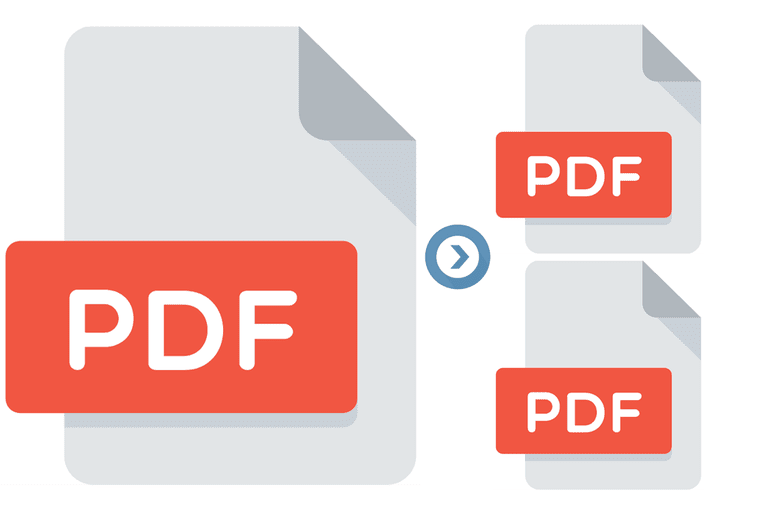
LeoPDFree also handles document conversion, with support for converting PDFs to and from Word, Excel, and PowerPoint formats. This can help when content needs further editing in an office application or when files created in those applications need to be saved as PDFs. The program can also turn images into PDF documents. For file organization, it can merge several PDFs into one file or split a large PDF into smaller documents, making it easier to assemble materials or separate relevant sections. A search function helps locate terms within lengthy documents.
For documents containing private information, the program provides password encryption and redaction tools. Encryption can restrict access to a PDF, while redaction is intended for removing confidential content before a document is shared. These features complement the editing and organization tools, allowing routine document preparation and protection to take place in the same program. Typical uses include updating forms, preparing annotated study files, combining invoices or reports, extracting pages, and converting documents for further editing.
LeoPDFree is freeware and is available for Windows 11 and Windows 10, as well as Windows 8 and Windows 7, in 32-bit and 64-bit editions. It is aimed at users who want a dedicated desktop utility for a range of everyday PDF tasks rather than relying on separate applications for editing, conversion, page organization, and document security.