LoneColor
Welcome to the download page for LoneColor, a remarkable software developed by Appgramming exclusively for Windows 10 users. LoneColor is a unique application that allows you to ...

LoneColor is a portable, no-interface Windows utility that sets the desktop background to a solid color. Run it without a color setting for a random shade, or specify a color in the application name using a color name, web color code, or RGB triplet. A LoneColor C shortcut opens the Desktop Background Control Panel to restore a previous wallpaper. It is freeware; Windows XP requires .NET Framework 2.0 or later.
| Author: | Appgramming |
| License: | Freeware |
| Price: | FREE |
| Released: | Feb 26, 2015 |
| File size: | 108 kB |
| Downloads: | 305 |
| Keywords: | desktop customization, desktop, random color wallpaper, Windows 10, x64 software, background, portable wallpaper utility, wallpaper, color simplicity, color, set desktop background, easy to use, portable, desktop color changer, LoneColor, rgb wallpaper tool, free, minimal, solid color wallpaper, Appgramming |
| Author URL: | http://www.appgramming.com |
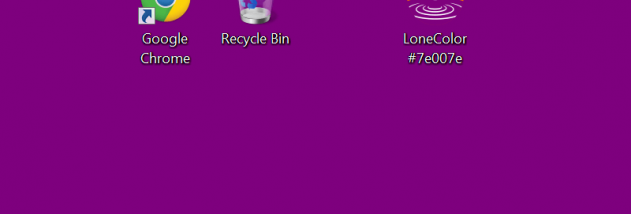

LoneColor is a small, portable utility for replacing a Windows desktop background with a solid color. It is suited to people who prefer a plain backdrop over a photograph, want a simple color for a workspace, or need to change the desktop without navigating a dedicated settings interface. The program has no graphical user interface; its options are controlled through the application filename or shortcut name, then applied by running it.
To choose a color, add its name to the program name, such as LoneColor Red, and launch the renamed file or shortcut. LoneColor also accepts web color codes and RGB triplets, so a color copied from a website, design tool, or other software can be used directly. Running the application without a specified color sets a random color background, making it possible to try an unexpected shade without manually selecting one. Each run applies the chosen or generated color as the desktop wallpaper.
The filename-based controls keep the workflow compact: users can retain shortcuts for frequently used colors, or rename a copy when they want to try another shade. To return to the previous wallpaper, a shortcut or copy named LoneColor C opens the Windows Desktop Background Control Panel, where the background can be restored. This provides a route back to a photo wallpaper without requiring a separate restore function inside LoneColor.
Typical uses include creating a low-distraction desktop, applying a brand or project color, testing shades from a web palette, and setting a uniform background on a computer used for focused work. A solid fill can also avoid the visual detail of a busy image. LoneColor is freeware and portable, and its compact size makes it practical to keep on the desktop or launch from a shortcut. Windows XP use requires Microsoft .NET Framework 2.0 or later; the program is intended for Windows desktop systems. The related Android version is separate from this Windows utility.