MacDrive Pro
MacDrive Pro lets Windows users access disks formatted for ... on Mac-formatted drives. When a supported disk is connected, MacDrive mounts it so it can be used much ...

MacDrive lets Windows users access files on Mac-formatted disks, including HFS and HFS+ volumes. It supports internal and external drives, flash storage, CDs and DVDs, and can open, edit, save and copy files. Disk tools can format, partition and repair Mac disks, while a CD/DVD feature creates Mac-format discs. It is useful for file transfers between Mac and Windows systems.
| Author: | Mediafour |
| License: | Trialware |
| Price: | $49.99 |
| Released: | Oct 20, 2023 |
| File size: | 10.40 MB |
| Downloads: | 384 |
| Keywords: | transfer files mac to pc, burn mac disk, hard-disk, access mac drive on windows, read hfs drive windows, repair mac disk windows, mac disk, MacDrive, mac drive, seamless integration, file system bridge, disk, mac archive, Mediafour, format mac disk windows, Windows 10 compatibility, open mac formatted disk, Mac Drive, Mac disk access |
| Author URL: | http://www.mediafour.com/ |
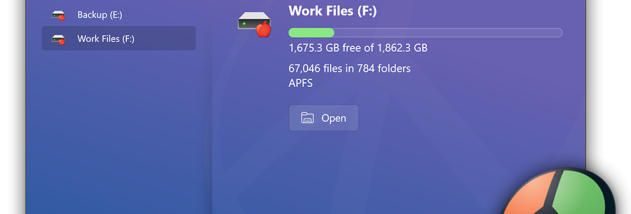



MacDrive is a Windows utility for opening and managing disks formatted for Mac computers. It is intended for people who move files between Windows and macOS, or need to retrieve data from a Mac-formatted drive without switching computers. Once installed, it gives Windows access to files on supported Mac volumes so they can be opened, edited, saved, copied or organized through familiar Windows workflows.
The software works with HFS and HFS+ volumes and supports disks using GPT, APM and MBR partition schemes. It can access Mac-formatted internal and external hard drives, USB and FireWire storage, flash drives, CDs and DVDs. This makes it useful when a drive from a Mac needs to be connected to a Windows PC for routine file transfer, or when documents, photos and other stored files must be retrieved from older Mac media. MacDrive also recognizes volumes associated with classic Mac OS and OS X.
Disk management tools let users format and partition Mac disks from Windows, as well as attempt repairs on damaged volumes. These functions can help prepare storage for cross-platform use or address disk problems without first connecting it to a Mac. A Quick Start launcher provides access to MacDrive's main tools, while a CD/DVD creation feature can burn discs in Mac format. Disk operations can affect stored data, so important files should be backed up before formatting, partitioning or repair work.
MacDrive is also intended for Windows installations running on Mac hardware, including Boot Camp setups, where it can provide access to Mac volumes from the Windows side. It can also help Windows virtual machines on a Mac work with Mac-formatted external drives. Typical uses include transferring files between a Mac and PC, accessing a Mac disk handed to a Windows user, and working with media shared across operating systems.
MacDrive is trialware and is offered for Windows 10 and Windows 11, including 64-bit Windows 10. Its disk access and management features are most relevant when a Windows computer needs to work directly with Mac-formatted storage; it is not a replacement for a general-purpose backup system. The trial lets users evaluate the software before deciding whether it fits their cross-platform storage needs.