Recover Keys
... exceptional software developed by the renowned team at Recover Keys. This Windows 10 compatible software is a ... lost their software keys. With its advanced algorithms, Recover Keys can swiftly scan your system to retrieve ...

SoftOrbits Flash Drive Recovery is a data recovery utility for USB flash drives and memory cards. It can search for deleted files and data lost after formatting, or from damaged and corrupted devices. Users can preview found files, select what to restore and save recovered items to a chosen folder, keeping results from separate devices organized. It is intended for Windows PCs.
| Author: | SoftOrbits Inc |
| License: | Demo |
| Price: | $11.99 |
| Released: | Oct 10, 2026 |
| File size: | 7.20 MB |
| Downloads: | 17 |
| Keywords: | SoftOrbits Flash Drive Recovery free download, flash recovery, recover deleted files, SoftOrbits Flash Drive Recovery, formatted drive recovery, recovery, memory card recovery, restore, recover, restore camera photos, recover drive, download SoftOrbits Flash Drive Recovery, flash drive recovery, card recovery, flash, usb file recovery |
| Author URL: | https://secure.avangate.com/affiliate.php?ACCOUNT=SOFTOR&AFFILIATE=758&PATH=https%3A%2F%2Fwww.softor |

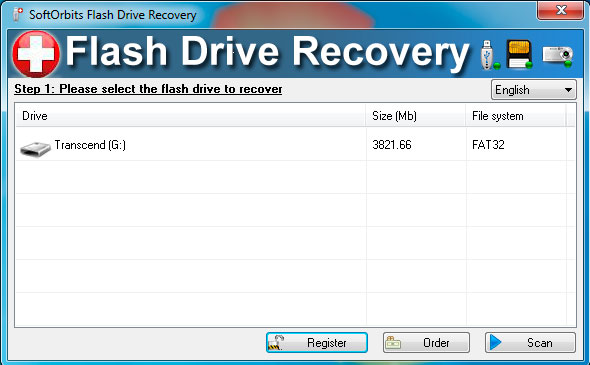
SoftOrbits Flash Drive Recovery is a data recovery utility for people who have lost files stored on USB flash drives or memory cards. It can search these devices for deleted data and files affected by formatting, damage or corruption. The tool is useful when a removable drive no longer shows the files it held, including photos from a camera card, and a backup is unavailable or incomplete. Its focus is removable flash storage rather than general-purpose recovery from every type of disk.
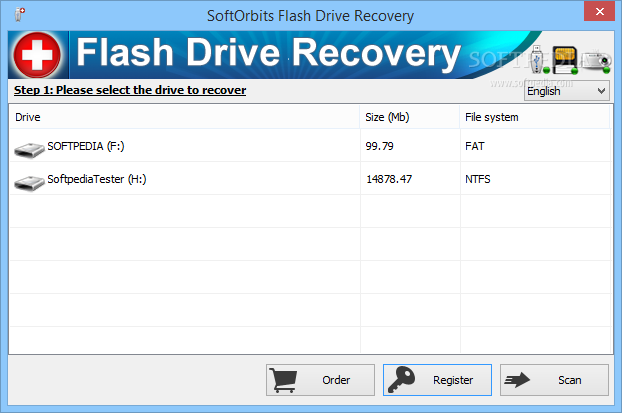
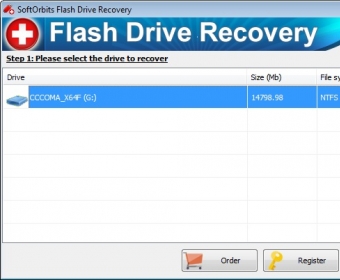
The recovery process centers on selecting a flash drive or memory card and scanning it for recoverable files. This gives users a way to examine data from an individual device instead of treating several sources as one collection. The program is also intended for drives that have been formatted or become corrupted, situations in which ordinary browsing may not reveal the former contents. Recovery results depend on the condition of the storage and whether new data has overwritten deleted files; no recovery utility can guarantee that every file will be restored.
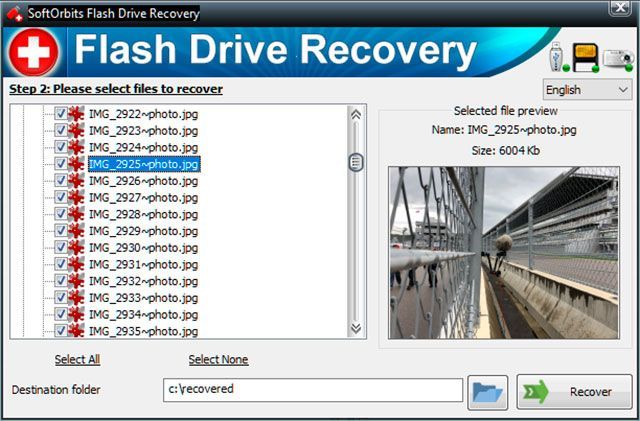
Before saving recovered data, users can preview files to check their contents and choose which items to restore. This is useful when a scan finds more than is needed, or when filenames alone do not make it clear which photos and other files are worth keeping. Selected results can be saved to a chosen folder, allowing files from separate cards or drives to be organized independently and reducing the chance of mixing them with earlier recovery results that have similar names.
Typical uses include attempting to retrieve deleted pictures from a camera memory card, restoring files after a card or USB drive was formatted, and checking a damaged or corrupted removable device for accessible data. Because recovered files are saved to a target folder, users can keep the restored material apart from the original device. As a general recovery precaution, avoiding further writes to the affected flash drive or card can help prevent deleted data from being overwritten before a scan.
SoftOrbits Flash Drive Recovery is offered as demo software and is intended for Windows. It supports Windows 11, Windows 10, Windows 8 and Windows 7, with 32-bit and 64-bit support stated for Windows 10, 8 and 7. Its workflow is focused on removable flash storage: choose a device, inspect recoverable files, preview relevant items and save selected results to a folder. It does not replace a regular backup, but can be used as a recovery attempt when files have been lost from a memory card or USB flash drive.