Smarty Uninstaller
Welcome to the home of the Smarty Uninstaller, a top-tier Windows 10 software developed by the ... software from your Windows 10 system. The Smarty Uninstaller is not your average uninstaller. It goes beyond ...

Argente System Manager is a Windows utility for installing and uninstalling applications, managing startup programs, and adjusting selected Windows settings. It can search for software by name, install multiple applications in a batch, and remove one or more installed programs. Additional controls cover Explorer display options, icons, thumbnails, and previews. Changes are collected and applied together as a single fix. It is available standalone or as part of Argente Utilities.
| Author: | Argente software |
| License: | Open Source |
| Price: | $9.00 |
| Released: | Oct 29, 2026 |
| File size: | 60.40 MB |
| Downloads: | 144 |
| Keywords: | uninstaller, Argente System Manager free download, optimizer, batch app installer, Argente System Manager, explorer customization, startup, startup manager, system tweak, application uninstaller, windows system tweaks, manage startup programs, startup optimizer, installer, download Argente System Manager |
| Author URL: | http://argentesoftware.blogspot.com |


Argente System Manager is a Windows utility for managing installed applications, startup programs, and selected interface and Explorer settings. It is available as a standalone program as well as part of Argente Utilities, and is intended for users who want several basic maintenance and customization controls in one place rather than separate tools for each task.
The application can search for software by name and install selected applications, including support for installing multiple items in a batch. Its uninstaller displays programs already installed on the PC, where users can choose one or more entries for removal. These tools provide a central way to add or remove applications without navigating through different system settings for each operation.
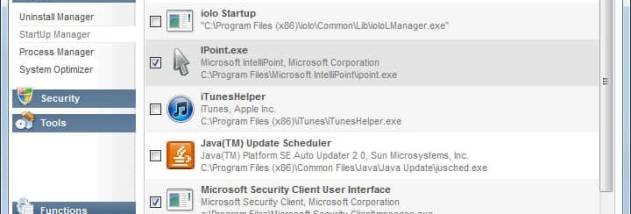
For startup management, Argente System Manager detects programs configured to run when Windows starts and lets users enable or disable individual entries. This can help users control which applications launch automatically and review their startup setup. The utility also groups Windows customization options covering icons and thumbnails, folder display, hidden files in Explorer, selection boxes, and previews. Changes are gathered in the interface and applied together as a single fix, rather than being committed individually as each option is changed.
These controls suit routine desktop housekeeping, such as removing unwanted applications, setting up a group of programs, reducing the number of startup apps, or adjusting familiar Windows display behaviors. The available tweaks focus on system and interface preferences; they do not include privacy or telemetry controls. Because changes are applied in a batch, users should review their selections before committing them. The program may not work correctly in every situation, so it is sensible to check that the intended changes took effect.
Argente System Manager is open-source software for Windows 10 and Windows 11, with support also listed for Windows 8. Windows 10 support includes both 32-bit and 64-bit systems. It can be used independently or alongside other Argente Utilities tools. Its combination of app management, startup controls, and grouped system tweaks is most useful to people who prefer a compact set of practical Windows adjustments over a dedicated specialist utility for each feature.