Serva32
... to the download page for Serva32, an exceptional Windows 10 software developed by the talented Patrick Masotta. Serva32 is a powerful tool that revolutionizes the ...

MailEnable Log Analysis Utility helps administrators and support staff diagnose problems in MailEnable log files. It scans the logs, lists the errors it finds and supplies corresponding information for each entry. This organized view makes it easier to focus on relevant events than to search through a log manually. The freeware tool is intended for troubleshooting MailEnable installations, not for managing email accounts or monitoring unrelated systems.
| Author: | MailEnable |
| License: | Freeware |
| Price: | FREE |
| Released: | Oct 29, 2010 |
| File size: | 20 kB |
| Downloads: | 250 |
| Keywords: | log file analysis, server performance optimization, log file error finder, mailenable error log, mailenable log analyzer, MailEnable, log analysis, MailEnable addons, mail server troubleshooting, MailEnable log, mailenable log analysis, log, Windows 10 software, log analyzer, mailenable diagnostics, logger, MailEnable Log Analysis Utility, email server diagnostics |
| Author URL: | https://www.mailenable.com/ |
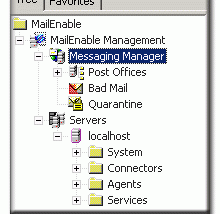

MailEnable Log Analysis Utility is a small diagnostic tool for administrators and support staff working with MailEnable mail server log files. It scans log files for errors and presents the findings in a list, making it easier to locate problems than searching through the files line by line. The utility is focused on error identification rather than general-purpose log monitoring or mail-server management.
The central workflow is to use the utility to examine MailEnable logs and review the errors it finds. Each listed error is accompanied by corresponding information from the log, which can help explain the entry and provide context for troubleshooting. This view gives administrators a practical starting point when investigating server issues, especially when a log contains many routine entries alongside a smaller number of failures.
Because the output is organized around detected errors, the tool can help narrow an investigation to relevant log entries before further analysis. Staff can use the findings to identify what needs attention and consult the associated information while diagnosing the issue. It is intended as an aid to interpreting logs; it does not replace checking the server configuration or other evidence when determining the cause of a problem.
Typical uses include reviewing MailEnable logs after an error is reported, checking log files during routine troubleshooting, and helping support staff gather relevant details for an investigation. The utility is most useful to people already responsible for maintaining or supporting a MailEnable installation, rather than users looking for an email client or a tool that manages mailboxes.
MailEnable Log Analysis Utility is freeware for Windows. Its listed operating-system support extends through Windows 10, including 64-bit editions of supported releases; Windows 11 support is not established here. The download is small, at about 20 KB. It analyzes MailEnable log files and is designed for diagnosis, so it should be used alongside the usual administrative checks needed to resolve server errors.