ManicTime for Windows 10 - Full description
ManicTime is an automatic computer-use tracker for people who want a clearer picture of how their working day is spent. It records activity without requiring users to start and stop timers, making it useful for reviewing work patterns after the fact rather than relying on memory or manually maintained time sheets. Individuals can use it to understand where their attention goes, while freelancers and other time-based workers can use recorded activity to support project reviews and work-hour reporting.
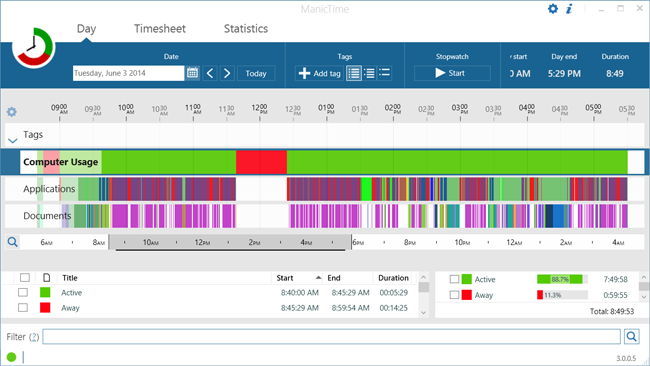
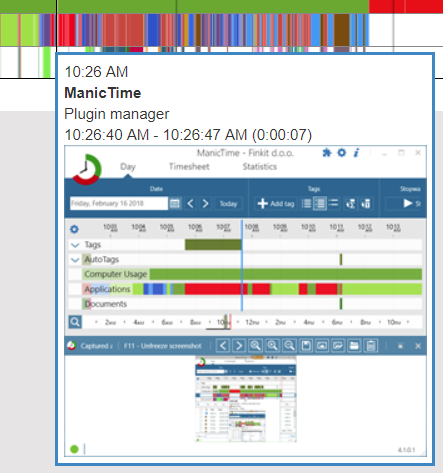
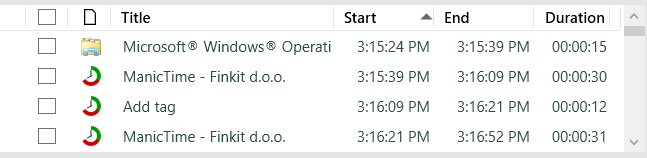
The program tracks applications in use, websites visited and documents opened, recording a start and end time for each activity. These time frames help show not only which tools or materials were used, but also how long they were active. Because tracking runs automatically, a user can move between tasks without interrupting work to update a timer. Reviewing the timeline later can help identify time spent on a particular project, periods of frequent task switching or activity that took longer than expected.
ManicTime turns collected activity into reports and graphs that can be customized to suit different review needs. A user can examine the data to see how computer time was divided, then export reports to Excel or other programs for further analysis. This makes the records more useful for preparing work summaries or invoices, and for comparing activity across tasks. The reports can also help make recurring habits visible, such as time spent in particular applications or on websites that distract from planned work.
The tracking data is collected and stored locally on the computer, where it can be reviewed by the user. This local-storage approach keeps the activity history on the system rather than requiring it to be held in an online account. ManicTime can track computer use both online and offline, so its records are not limited to periods with an internet connection. Its purpose is measurement rather than automatic productivity improvement: users interpret the activity and decide whether to change their schedule, tools or browsing habits.
ManicTime is trialware for Windows, including Windows 10 and Windows 11, and is intended for people who need detailed records of computer activity without manual time entry. It can be useful for personal productivity reviews, project time monitoring and preparing time-based work reports. Since it records applications, websites and documents, users should consider whether local computer activity data is appropriate to retain on a shared or work-managed device.