MKV2AC3 x64
MKV2AC3 x64 is a Windows utility for converting audio tracks in Matroska (MKV) video files to AC3. It is intended for users who need to ...

MKV2AC3 converts audio in MKV files while keeping the output in the MKV format. It handles DTS-to-AC3 and AAC-to-AC3 conversion, as well as AC3 normalization, and supports batch processing. Choose between Aften with AviSynth or EAC3TO; the latter is not included with the program and may need separate setup.
| Author: | AVI2ISO |
| License: | Freeware |
| Price: | FREE |
| Released: | Jun 14, 2016 |
| File size: | 18.80 MB |
| Downloads: | 354 |
| Keywords: | high-quality audio output, user-friendly interface, AC3, audio codec transformation, batch audio conversion, MKV, mkv audio converter, aac to ac3, dts to ac3, MKV to AC3 conversion, AAC to AC3, AVI2ISO software, DTS to AC3, Windows 10 compatibility, DTS2AC3, mkv to ac3 converter, ac3 audio normalization, MKV to AC3 |
| Author URL: | http://www.avi2iso.com/ |
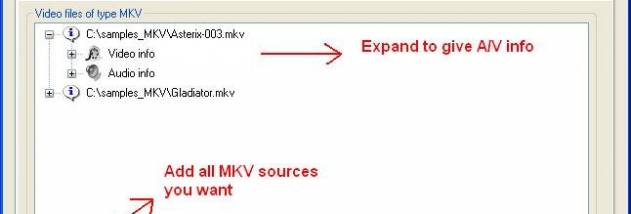

MKV2AC3 is a Windows utility for changing the audio track in MKV video files while keeping the output in the MKV format. It is intended for users who need to convert DTS or AAC audio to AC3, or normalize an existing AC3 track. The program accepts MKV sources only, so it is not a general-purpose audio converter or a tool for changing video containers.
The conversion workflow can handle multiple MKV files in a batch, which is useful when preparing a collection rather than processing files one at a time. For each source, MKV2AC3 converts DTS to AC3 or AAC to AC3. It can also process AC3 to AC3 with normalization, adjusting audio levels rather than changing the format. The output remains an MKV file, with the audio conversion as the focus.
Two processing methods are available. Aften with AviSynth is the slower option, while EAC3TO is offered as the faster alternative. If a conversion using Aften encounters problems, the other method can be tried. EAC3TO is not included with MKV2AC3, so users choosing that method need to obtain and configure it separately. These alternative paths make the application useful for troubleshooting conversion issues as well as selecting a preferred method.
Typical uses include converting MKV files with DTS or AAC audio to AC3, preparing several files in one batch, and normalizing AC3 audio without switching to another format. The source restriction is important: MKV2AC3 does not accept other video-container formats. It is freeware, and its operation depends on the available conversion tools and the selected method. The program is aimed at users who want a focused audio conversion workflow rather than broad video editing or transcoding controls.