Movavi Video Suite
Welcome to the download page for Movavi Video Suite, a powerful software developed by Movavi LTD for Windows 10 users. This all-in-one video editing suite offers a wide range of tools ...

Movavi Video Suite combines video editing, capture, conversion, slideshow creation, and disc burning in one application. Users can trim, split, and join clips; add titles, soundtracks, transitions, and effects; record from webcams, screens, and external devices; and convert media for mobile devices or other players. It also supports photo conversion, VHS capture, and sharing finished files online.
| Author: | MOVAVI |
| License: | Shareware |
| Price: | $59.95 |
| Released: | Nov 17, 2014 |
| File size: | 96.10 MB |
| Downloads: | 433 |
| Keywords: | video maker, video converter, video editing, edit video, merge video, screen recording, split video, video software, sceen capture, burner, video capture, dvd blu-ray burner, photo slideshow maker, multimedia conversion, make video, video tools, MOVAVI software, join video, Movavi Video Suite, video splitter, screen recording software, create video, burn video, enhance video, video capture software, video editing software, video editor, DVD burning |
| Author URL: | http://www.movavi.com |
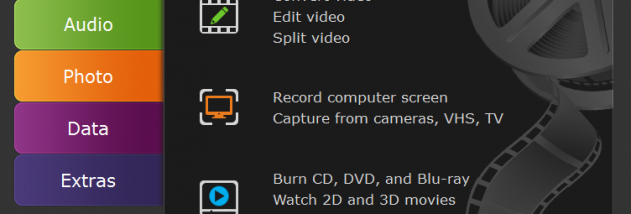

Movavi Video Suite is a collection of tools for editing, converting, capturing, and sharing video, aimed at home users who want to handle common media tasks from one application. It can be used to create movies and photo slideshows, revise existing clips, transfer recordings from external video sources, and prepare media for playback or distribution. Its features cover much of the workflow from importing and editing footage to converting or burning finished projects.
The editing tools let users split clips, join files, trim unwanted sections, and work with 2D or 3D video. A project can be shaped with artistic effects, filters, slow motion, and tilt-shift effects; transitions help connect clips, while text titles and a custom soundtrack add context and audio. Photo slideshow creation provides a way to combine images into a presentation, and photo conversion handles formats such as JPG, PNG, and BMP. These functions are suited to assembling personal videos without relying on a separate tool for every step.
For capture, the suite can record video from a webcam and sound from a microphone, as well as take in footage from devices such as DV, HD, and HDV equipment, TV tuners, and VHS capture devices. Screen recording covers desktop activity and streaming video, while a dedicated capture workflow can record Skype calls, webinars, and video chats with speaker and microphone audio at the same time. This makes the software useful for preserving analog recordings, creating demonstrations, or saving online sessions.
Its conversion tools handle video and audio across more than 200 media formats, including DVD, HD, Ultra HD 4K, and Flash video. Presets prepare output for mobile devices, computers, media players, and game consoles, and the suite can upscale standard-definition video to HD using ready-made settings. Users can also adjust video, normalize volume, and enhance quality before conversion. SuperSpeed Conversion is intended to change formats without recompression, preserving quality while reducing conversion time. Finished media can be burned to CD, DVD, or Blu-ray, or shared online from within the application.
Movavi Video Suite is shareware. The supplied system requirements name Windows 2000, XP, Vista, 7, and 8; they do not establish compatibility with Windows 10 or Windows 11. The interface is available in English, Dutch, French, German, Italian, Japanese, Polish, Portuguese, Russian, Spanish, and Turkish. Its combination of editing, capture, conversion, and disc authoring makes it most suitable for users seeking a general-purpose video production toolkit rather than a dedicated professional editing system.