MyGANTT for Windows 10 - Full description
MyGANTT is a free project-planning program by Fabrizio Cesarini for managers and teams that need to organize work around a schedule. It uses Gantt charts to show project tasks against a timeline, making it easier to review when activities begin and end and how the overall plan is arranged. Its focus on core scheduling tools suits small and medium-sized projects where a clear timeline is more useful than a broad suite of management features.
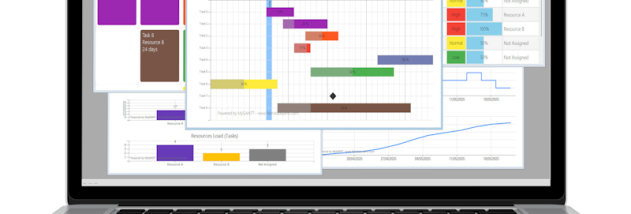
A project schedule can be built by adding tasks and placing them on the chart according to their start and end dates. The visual layout gives a quick view of overlapping work, gaps and the planned duration of activities. Users can inspect the timeline as a whole or focus on individual tasks, helping them spot areas where a schedule may need adjustment before work proceeds.
MyGANTT also supports task dependencies. By linking activities that rely on one another, project planners can represent the intended order of work and see how a delay or change to one task may affect dependent activities. Resources can be assigned to tasks, which helps teams identify who or what is allocated to each part of the plan. Color-coding and other basic chart appearance options provide a way to distinguish tasks and adapt the schedule's visual presentation.
These features can support planning for projects such as coordinating a set of work activities, dividing a larger deliverable into scheduled tasks, or communicating a timeline to team members. The chart provides a shared view of dates, task relationships and resource assignments that can be used during routine progress checks. MyGANTT concentrates on this schedule-oriented workflow rather than offering advanced functions such as real-time collaboration, budget tracking or complex reporting, so organizations that depend on those capabilities may need a more extensive project management system.
The program is freeware and is available for Windows 10 and Windows 11, as well as Windows 8 in 32-bit and 64-bit editions. Its straightforward interface is intended to keep attention on planning and maintaining the Gantt chart without the added complexity of a larger project-management platform.