Nero Video 2020
Welcome to the premier destination for downloading Nero Video 2020, a top-tier video editing and authoring software developed by Nero AG. This Windows 10 compatible software is a ...

Nero Video combines video editing, media organization, playback and disc authoring in one Windows application. It imports footage from cameras, drives and mobile devices, supports 4K editing and export, and includes templates, picture-in-picture effects, titles, transitions and speed controls. Finished movies can be streamed over a home network or authored to DVD and Blu-ray.
| Author: | Nero AG |
| License: | Shareware |
| Price: | $39.95 |
| Released: | Oct 31, 2019 |
| File size: | 360.13 MB |
| Downloads: | 665 |
| Keywords: | video, avchd, movie editor, video editing, Nero, video slideshow maker, video editing software, dvd authoring software, play video, DVD authoring, multicam, Nero Video, capture, disc authoring, motion blur, maker, create, Nero Video 2020, fast video editing, blu-ray movie maker, editing, Windows compatible, slideshows, 4k video editor, Nero AG, multimedia suite, home video editor, dvd, video editor, blu ray |
| Author URL: | http://www.nero.com |
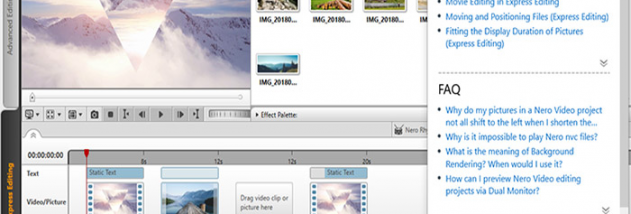

Nero Video is a Windows video editor and media-authoring program for home users who want to organize camera footage, assemble movies and prepare them for playback or disc. It combines editing tools with a media library, slideshow creation, video playback and DVD or Blu-ray authoring, so projects can move from imported recordings to finished viewing formats within one application.
Footage can be imported from camcorders, cameras, USB drives, external hard drives and mobile devices. Drag-and-drop import can launch editing automatically, while the media center, Nero MediaHome, helps organize and retrieve video, photos, music and audio files. The editor supports 4K input, editing and export, and provides a full HD preview that can be used while working on one or two monitors. It can also export multiple selected shots from a longer recording in one operation, useful for separating highlights without exporting the entire source video.
For assembling a movie, Nero Video includes 4K templates and picture-in-picture effects, along with titles and captions, transitions, typefaces, sound clips, slow and fast motion, and tilt-shift effects. These elements can be combined to shape the look and pace of a project, from a straightforward family video to a more stylized edit. Slideshow tools and playback for photos, videos, music and finished slideshows also make the software useful for managing and presenting personal media beyond editing.
Finished projects can be exported as video files, streamed over a home network to supported devices, or authored to DVD-Video and Blu-ray with 2D or 3D menus. The Nero Streaming Player app supports streaming and playback on mobile devices, smart TVs, Xbox and other network media players. Nero MediaHome WiFi Sync transfers photos and videos wirelessly between a PC and iOS or Android devices, including for offline use. An interactive Nero KnowHow app provides guidance and editing tips.
Nero Video is shareware and requires a 2 GHz processor, 1 GB of memory, 5 GB of available disk space and Microsoft DirectX 9.0. The supplied system information includes Windows 10 and earlier Windows releases; it does not list Windows 11. The interface and help materials are available in multiple languages. Disc burning requires a compatible drive and suitable media, while network streaming and wireless transfer depend on supported devices and a home network.