3nity Media Player
Welcome to the home of 3nity Media Player, a top-notch software developed by 3nitySoftwares. This Windows 10 compatible software is a versatile multimedia player that caters ...

Omilo is a simple text-to-speech application for listening to written text. Users can type directly into its text area or paste content from another source, make edits, and press Speak to begin playback. It combines text entry with a basic player workflow, making it useful for reviewing notes and passages aloud. The open-source program supports Windows releases through Windows 10.
| Author: | Nikolaos Strikos |
| License: | Open Source |
| Price: | FREE |
| Released: | Oct 31, 2016 |
| File size: | 95.90 MB |
| Downloads: | 272 |
| Keywords: | player, play, Speech synthesis application, edit, read text aloud, x64 architecture, edit text, text reader app, speak text aloud, Windows 10 compatible, simple speech software, text to speech, speak text, Nikolaos Strikos software, Sourceforge project, text to speech software, Omilo Text to Speech, text to speech player |
| Author URL: | http://sourceforge.net/users/strikos |
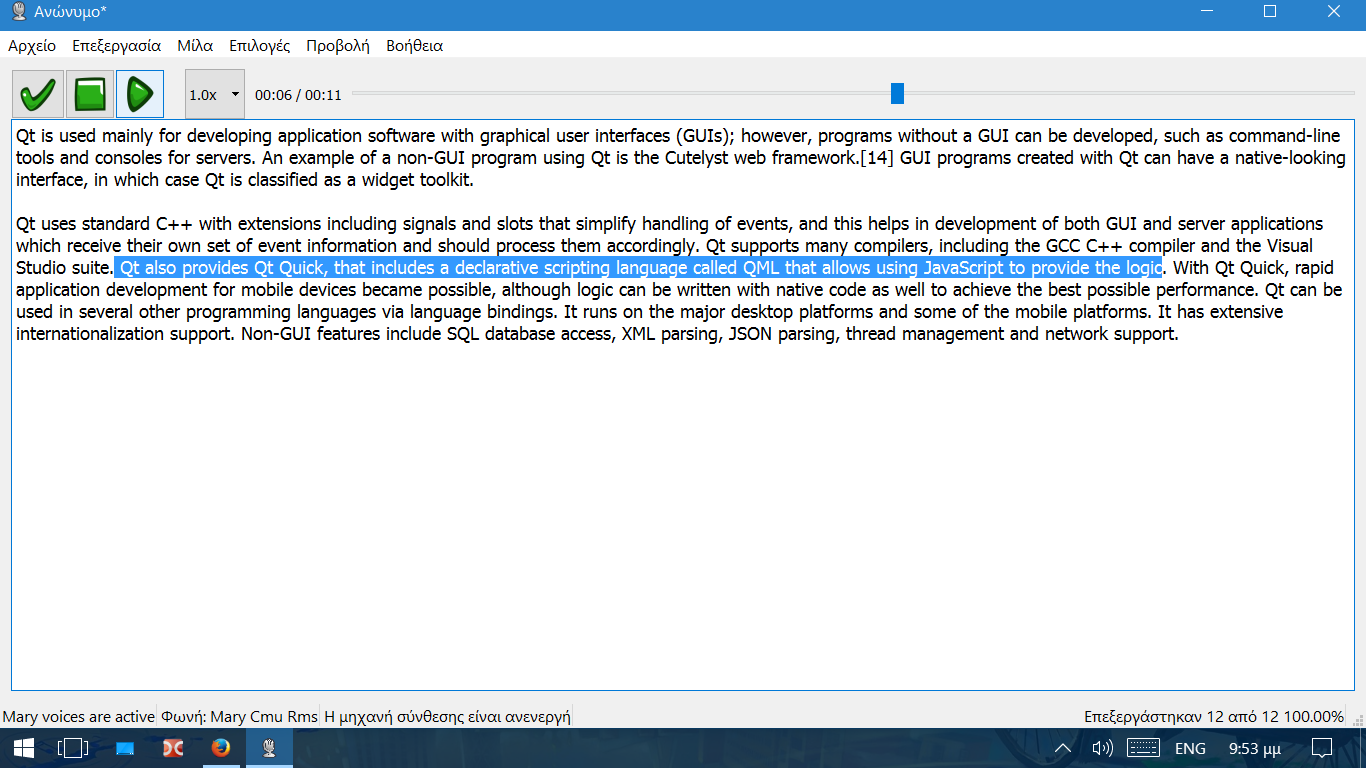

Omilo is a lightweight text-to-speech application for people who want to hear written text read aloud. Its straightforward workflow is suited to occasional listening as well as simple text-to-speech tasks: users enter or paste text, then start playback with the Speak command. The interface centers on the text and its playback rather than a broad set of editing or publishing tools.
Text can be entered directly in the application or copied from another source and pasted into the text area. This makes it practical to listen to a short passage, a note, or other text without retyping it. After preparing the content, pressing Speak starts the spoken playback, letting users follow the text by ear while it is read aloud.
Omilo also provides a basic text-editing and playback workflow. Users can revise the text before speaking it, then use the application as a simple player for listening to the result. Keeping text entry and speech playback together helps with checking how written material sounds, reviewing passages, and listening while attention is directed elsewhere. The program is intentionally focused on this direct speak-text task rather than advanced audio production.
Typical uses include listening to notes or passages, reviewing written material, and hearing text read aloud instead of reading it on screen. Omilo is open source and is designed as a small, simple application. It supports Windows releases through Windows 10, including listed 64-bit editions; Windows 11 support is not established here. Its compact scope makes it most appropriate for users seeking a basic way to enter or paste text and start speech playback.