Peernet File Conversion Center for Windows 10 - Full description
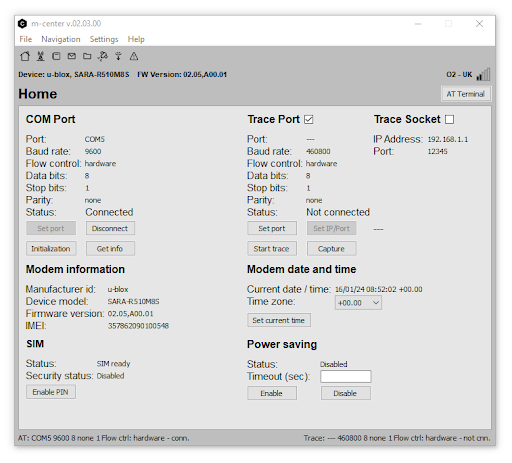
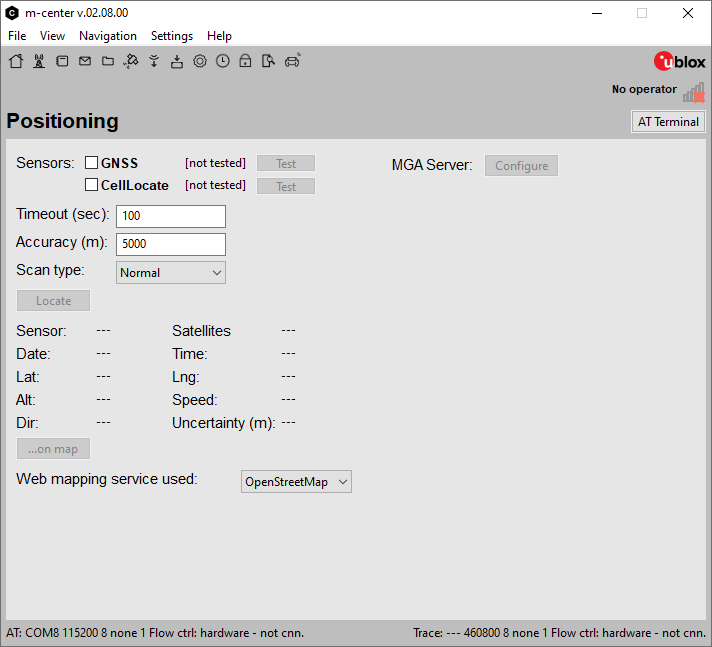
m-center is a desktop utility for engineers, developers and researchers working with u-blox GNSS receivers. It provides a graphical interface for evaluating receiver operation, viewing navigation data and changing device settings. Rather than building a satellite-navigation application, users connect compatible hardware to inspect its behavior and configure it for development, testing or deployment.
The software presents GNSS information in visual form, including satellite tracking, signal strength and position accuracy. These views help users assess reception and positioning performance while a receiver is operating. Configuration controls allow adjustment of receiver parameters, including signal-related settings and power modes, so hardware can be set up for the needs of a particular application. The interface brings monitoring and configuration tasks together, which can be useful during bench testing and integration work.
m-center can record GNSS data sessions for later review. Playback lets users revisit captured activity when investigating a positioning issue or comparing receiver behavior, without relying only on observations made during a live test. The utility also includes firmware management for updating supported receivers. Together, logging, playback and configuration provide a workflow for testing changes, examining results and troubleshooting device operation.
The program is intended for work involving u-blox GNSS hardware, with potential use in areas such as automotive navigation, surveying, precision agriculture and connected devices. Engineers can use it while integrating a receiver into a product; researchers can capture and review positioning data; and evaluators can inspect receiver performance before selecting or deploying hardware. Its visual tools also make it useful for users who need to examine receiver output without building a custom monitoring interface.
m-center is freeware for Windows 10 and Windows 11, with support for 32-bit and 64-bit Windows 10 systems. It is designed around compatible u-blox GNSS receivers, so its practical use depends on having supported hardware available. The supplied product information names Peernet File Conversion Center, but the accompanying feature details refer to m-center by u-blox and GNSS receiver configuration; this listing follows those feature details.