Proposal Pack Wizard for Windows 10 - Full description
Proposal Pack Wizard is a business-document creation tool from Cyber Sea for companies and professionals who prepare proposals, contracts, grant applications, project plans, and related documents. It combines a library of more than 2,000 templates with customization and automated assembly features, helping users build structured documents from reusable starting points rather than drafting every section from scratch. The software works with Microsoft Word, so proposal creation can fit into a familiar word-processing workflow.
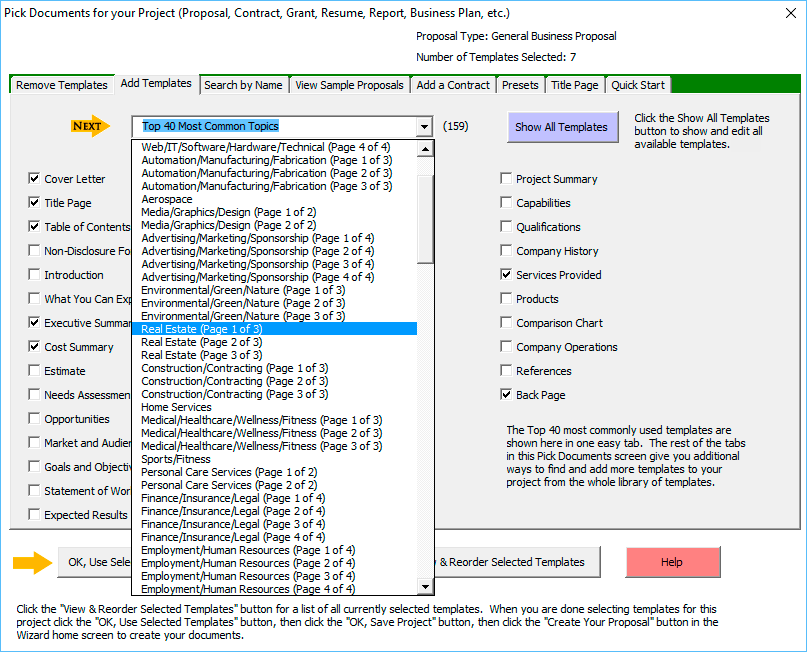
Templates cover different industries and document purposes. Users can select a suitable starting point, adapt its content and formatting, and shape the result around a particular project, client, or organization. Customization options help align documents with business requirements and branding, while the range of available formats supports work on proposals as well as other planning and contract documents. Templates are starting points, not a substitute for reviewing the final wording and details.
For document assembly, users enter or organize the information needed for a proposal and have the program generate a cohesive document. This can reduce repetitive formatting and copying when producing multiple documents with a similar structure. The Word integration also makes it possible to use existing content within the broader writing process. Tutorials and user guides help users learn the workflow, with customer support available for assistance.
Proposal Pack Wizard is intended for businesses that regularly respond to opportunities, prepare project plans, or create formal client-facing documents. It can also be useful to consultants and other professionals who need repeatable proposal layouts but want to tailor each document to its purpose. Reusable templates and assembly tools are most helpful when document structure is consistent; users can then spend more time refining project-specific information and less time rebuilding layouts.
The program is offered as a demo, allowing users to evaluate it before deciding whether it suits their document workflow. It supports Windows 10 and Windows 11, as well as Windows 7 and Windows 8, with 32-bit and 64-bit support stated for the latter systems and Windows 10. Microsoft Word is part of the intended workflow; users should check the program's requirements for details about supported Word versions and any demo limitations before relying on it for production work.