RadioDJ for Windows 10 - Full description
RadioDJ is a freeware radio automation and playlist management application for broadcasters who need to organize music and other audio, prepare a running order, and manage playback during a live or automated show. It combines a searchable audio library with queue controls, instant players, and an event scheduler. Audio is catalogued in a database, making the program suited to stations handling large collections rather than only a handful of files.
The library can import multiple audio files and supports formats including MP3, OGG, WAV, MP2, AIFF, MPG, MOD, MO3, AAC, FLAC, and MIDI. Track details such as title, artist, album, year, and track number can be edited, while ID3 tags can be imported to reduce manual entry. Search tools help locate material by keyword, category, subcategory, or genre, so a presenter or operator can find tracks without browsing folders one by one. The database-backed catalog also keeps music and other audio organized for building playlists and selecting items for broadcast.
For playback preparation, RadioDJ can store up to 24 instant playlists and route selected tracks to auxiliary players that are available with a mouse click. Operators can manage the current queue, append tracks to it, or replace its contents. Each queued song has a timer showing when it is due to play, which helps with timing and transitions. Playback can be handled manually, through AutoDJ, or with an automated or assisted playlist approach, allowing the workflow to suit different levels of operator involvement.
The event scheduler supports timed actions, while sweepers can be overlaid on playback to create station transitions or identify programming. Voice-overs can be inserted, and a notes tab provides a place to keep operational reminders alongside the main controls. An audio processing tool can adjust sound while a track is playing. Together, these controls support music programming, unattended sequences, and live operation from a single broadcast-focused interface.
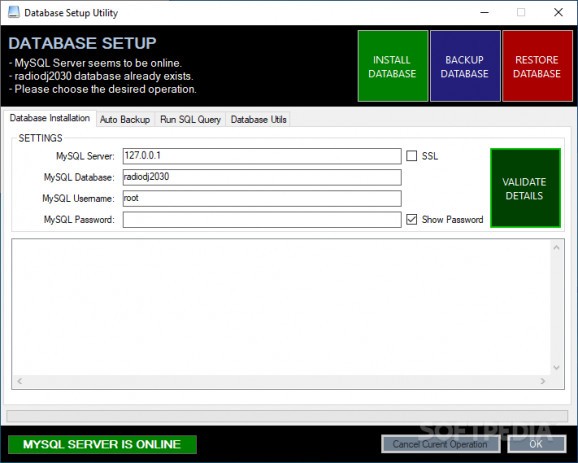
RadioDJ is free to use and runs on Windows 10 and Windows 11, in 32-bit and 64-bit environments. Its database requires MariaDB or MySQL to be installed and configured; the included Database Setup tool helps establish the connection. Broadcasters should prepare that database before building a large library, then import and check track information before relying on the catalog for scheduled or automated playback.