Refog Personal Monitor for Windows 10 - Full description
Refog Personal Monitor is a computer activity monitoring program intended for parents who want to review how children use a family PC. It records activity for later inspection and can send reports or alerts remotely, so monitoring does not require someone to sit beside the computer. Because the program can operate out of sight and capture typed content, it should be used only on devices the person installing it is authorized to monitor, with appropriate notice and consent.
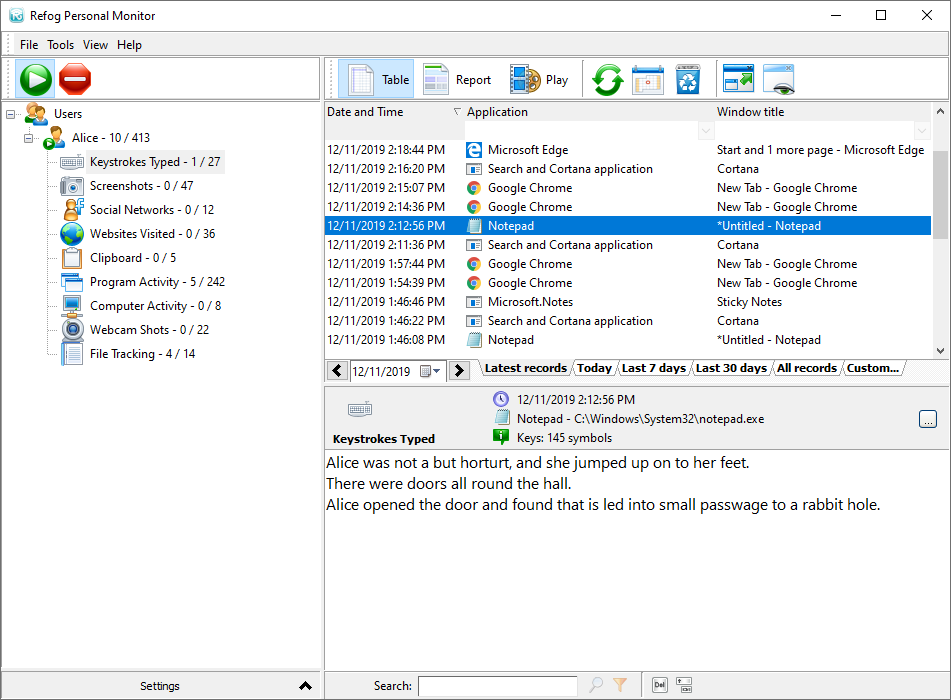
The program logs keystrokes and phrases entered in applications, along with websites visited and applications used. These records give parents a history to review when checking browsing or computer use. It also takes periodic screen captures, providing visual context for activity at a particular time. Screen images and typed text can contain sensitive information, so access to stored logs should be restricted.
For messaging activity, Refog can identify supported chat and instant messaging applications and organize conversations into readable logs rather than leaving them as a stream of individual key presses. It can also monitor content typed or received in other online and offline applications. Configurable alerts respond to selected words or phrases: users can set trigger terms and receive email notifications when a match occurs, allowing a review without waiting to open the complete activity history.
Logs can be checked on the monitored computer or accessed remotely, and email reporting allows a parent to review activity away from home. This can be useful for households where a child uses a shared computer while a parent is elsewhere, or where reviewing selected alerts is more practical than watching continuously. The collected history can help identify patterns, but it does not replace conversation, supervision or device-level safety settings.
Refog Personal Monitor is commercial shareware from ReFog Software. The supplied system information lists Windows 7 and Windows 8, including their 64-bit editions, and Windows 10, including its 64-bit edition. It does not establish Windows 11 compatibility. The installer size is about 13 MB. Before deployment, users should consider privacy, local laws and the sensitivity of recorded conversations, keystrokes and screen images; monitoring should be limited to an appropriate, authorized purpose.