Registry Help for Windows 10 - Full description
Registry Help is a Windows utility for users who want to inspect and maintain the Windows registry, a system database that stores configuration settings for Windows and installed applications. It combines registry scanning and cleanup tools with search, history and access to commonly used registry locations. Its options are intended for people who want to review potential registry issues and make changes with a record of what they have done.
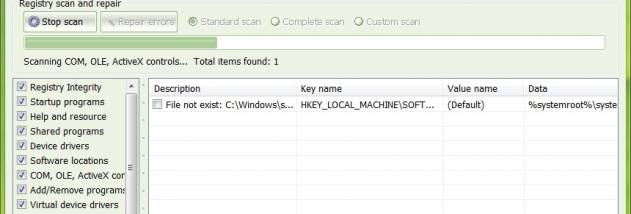
The program offers standard, complete and custom scans. A standard scan checks selected areas, while a complete scan covers a broader set of registry entries; custom scanning lets users choose what to examine. Registry Help can identify entries it considers unnecessary or problematic and provides tools to clean or repair them. It also includes registry defragmentation and Windows tweaks, with information about settings that can be adjusted. Registry changes should be reviewed carefully, since removing or altering valid entries can affect applications or Windows behavior.
An advanced search locates keywords across the registry and supports keyword lists, making it easier to find settings by name or related text. A favorites list provides quick access to registry locations users visit often. Registry History records operations by date and time with a description, and the program backs up changes made through its tools so they can be restored. Registry snapshots and comparisons are available in Registry Help Pro, allowing users to examine differences between registry states and roll back unwanted changes. These safeguards help with tracking edits, but do not replace a full system backup.
The tools can be useful when investigating registry settings, removing leftover entries, or applying a documented Windows tweak. Automatic online updates help keep the utility current, and 15 color themes let users change its appearance. Results from registry cleaning are not a guaranteed way to improve computer speed, and routine editing is not necessary for every Windows PC; cautious users can scan first and review proposed changes before applying them.
Registry Help is freeware. The supplied compatibility information covers Windows XP through Windows 10, including listed 64-bit editions of Vista, Windows 7 and Windows 8. Registry Help Pro is required for snapshots and comparisons. The program is a Windows desktop utility, and registry operations should be performed with care, particularly on systems that rely on specific application settings.