VSdocman
... for Windows 10 users. VSdocman is a powerful documentation tool that seamlessly integrates with Visual Studio, allowing developers to effortlessly generate comprehensive and ...

ScreenSteps creates illustrated, step-by-step lessons for software training, support, and process documentation. Capture screens in sequence, crop images, and use editable circle, square, or rounded-square annotations to highlight important interface details. Add text to each step, rearrange or replace captures, and work in thumbnail or preview views. Lessons export to PDF or HTML, with support for custom HTML and XML templates.
| Author: | Blue Mango Learning Systems |
| License: | Trialware |
| Price: | $149.00 |
| Released: | Sep 27, 2023 |
| File size: | 70.10 MB |
| Downloads: | 269 |
| Keywords: | export tutorials to pdf, step by step guide creator, interactive guides creation, Capture screen, annotated screenshots, documentation tool, screen capture tutorial maker, x64 architecture, Windows 10 compatibility, visual, visual documentation, screensteps, Annotation Tools, ScreenSteps software, Capture, Blue Mango Learning Systems, visual documentation software, Annotation |
| Author URL: | https://www.screensteps.com/ |
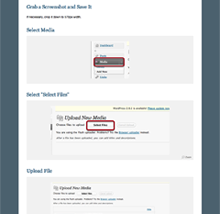

ScreenSteps is a visual documentation tool for creating step-by-step lessons, tutorials, and training materials. It is suited to people who need to explain a computer-based process clearly, such as trainers, support teams, and software instructors. Rather than relying on lengthy instructions alone, a lesson pairs screenshots with concise text so readers can see where each action takes place.
The workflow starts with capturing the screen for each stage of a process. ScreenSteps places captures in the order they are taken, forming a sequence of steps that can be rearranged or have images replaced later. Its crop tool trims each screenshot to the relevant area, while circle, square, and rounded-square annotations draw attention to controls or parts of the interface. Annotations remain editable, so emphasis can be adjusted without permanently changing the underlying image.
After arranging the images, authors can add explanatory text to each step. Thumbnail view provides an overview for assembling and reordering a lesson; Preview mode gives a larger view of an image while its instructions are written. The combination supports a visual workflow in which screenshots carry much of the explanation and text clarifies what to do or notice. ScreenSteps can also work with images from third-party capture applications, including SnagIt, and with image editors.
Completed lessons can be exported as PDF or HTML for sharing or publishing. For web output, users can apply custom HTML and XML templates, allowing exported lessons to fit an existing presentation or publishing workflow. These options make the software useful for internal procedures, product walkthroughs, software support instructions, and training documents that need to be distributed in printable or web-based form.
ScreenSteps is trialware and runs on Windows, including Windows 10 and Windows 11. Its core work is creating and organizing illustrated instructions; it is not a general-purpose image editor or a full learning management system. The installer is about 72 MB. The capture, annotation, sequencing, text, and export tools are organized around turning a demonstrated screen process into a reusable lesson.