SecurityCam for Windows 10 - Full description
SecurityCam is webcam monitoring software for people who want to watch a property or a particular area from a computer. It detects movement in the camera's view and can respond by recording video or capturing a still image. Monitoring can be done locally or from a remote location over the Internet.
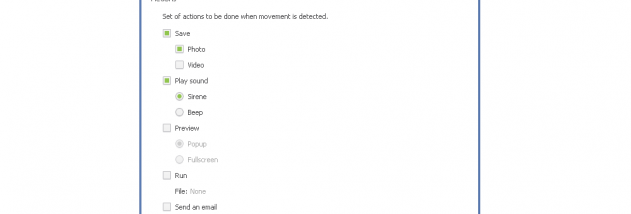
The program runs in the system tray while it watches the webcam, keeping its controls out of the way during routine use. When motion is detected, it can start video recording, save a snapshot, or play a warning sound. These responses let users choose whether an event should be documented, announced, or both.
SecurityCam is suited to unattended monitoring, such as keeping an eye on a room, entrance, or other camera-covered space while the user is elsewhere. Video recordings can provide a record of activity, while snapshots offer a still image of a detected event. A warning sound can draw attention to movement when someone is nearby.
The software depends on a web camera connected to the computer and uses motion detection to trigger its actions. Its focus is straightforward surveillance rather than general webcam use: it waits for movement and then performs the selected response. SecurityCam is trialware, so its licensing terms should be checked before continued use. The provided system information names earlier Windows releases; compatibility with Windows 10 and Windows 11 is not established here.